
iOS
8.2.4
Fixes a duplicate customer reply after tapping an assistant suggested answer, and the compact navigation bar on first paint in iOS 26 and 27.
New & Fixed
Fixed
- Fixed a duplicate customer reply after a customer taps an assistant suggested answer. The temporary "sending" bubble now gives way to the confirmed message, so one bubble shows.
- Fixed the chat widget navigation bar starting in a compact layout on first paint in iOS 26 and 27. The fix applies to History, Answers, and Chat Assistant.
Behavioral Improvements
- Suggested answers: The pending "sending" bubble is replaced when the send succeeds. The conversation shows one customer reply per tap.
- Navigation bar: On iOS 26 and 27, History, Answers, and Chat Assistant render the navigation bar in its standard layout on first paint.
- Public API changes: NO
- New fields: None
Benefits to your app
- Customers who tap a suggested answer see a clean conversation without a repeated reply.
- Chat screens on iOS 26 and 27 look correct the first time they appear, with no layout shift.
Recommended Action
- Upgrade
KustomerChatto 8.2.4 if your app supports iOS 26 or 27, or if you use assistant suggested answers. - Verify that tapping a suggested answer produces a single customer bubble.
- Verify that History, Answers, and Chat Assistant show the standard navigation bar on first launch.
- No code changes are required.
Technical Details
- Component:
KustomerChat(iOS) 8.2.4 - Release type: Hotfix on top of the previous production release
- Related: React Native SDK 6.3.4 pins this iOS version
8.2.3
Release date: 10/01/2026
Summary: Adds a settling delay before retrying chat recovery after an unexpected disconnect, avoiding premature retry attempts.
Fixed
- After an unexpected disconnect, chat delays reconnect recovery briefly to let the connection settle, then retries once the connection returns to Connected. Expected disconnect/reconnect (e.g., deliberate teardown) still does not trigger recovery.
Behavioral Improvements
- Timing change only, scoped to the unexpected-disconnect path. Expected disconnect/reconnect behavior is explicitly unchanged. APIs changed: No (inferred — no new fields/methods described in source).
Recommended Action
- Upgrade recommended. No code changes required.
- If your app has custom reconnect/retry logic layered on top of the SDK, confirm it doesn't double-trigger recovery during the new settling delay.
Technical Details
- Recovery delay applies only on transition from an unexpected-disconnect state back to Connected; does not apply to expected disconnect → Connected transitions.
8.2.2
Release date: 09/30/2026
Summary: Consolidates chat's PubNub connections into one subscribe client, reducing idle network traffic.
Improved
- Chat now uses a single long-lived PubNub subscribe connection for conversations, customer meta, presence, signals, and message actions, replacing two separate clients. This reduces duplicate idle subscribe traffic.
Behavioral Improvements
- No user-visible behavior change; this is a connection-layer consolidation. APIs changed: No — confirmed in source ("no public API changes; no host app code changes required").
Recommended Action
- Upgrade recommended. No host app code changes required.
Technical Details
- Two previously separate PubNub subscribe clients are merged into one shared, long-lived subscribe connection covering conversations, customer meta, presence, signals, and message actions.
8.2.1
Release date: 09/28/2026
Summary: Fixes Support Center UI setup running off the main thread, preventing layout glitches or crashes on open/close.
Fixed
- Support Center no longer builds or tears down its UI off the main thread. Opening chat or the knowledge base, dismissing the widget, and start-completion callbacks now run on main — even when your app's code finishes on a background queue.
Behavioral Improvements
- Timing change only: UI construction/teardown is now always dispatched to the main thread. APIs changed: No (inferred — no new fields/methods described in source).
Recommended Action
- Upgrade recommended, no code changes required.
- If your app calls Support Center show/open/dismiss helpers from a background completion handler, this release removes the risk of a crash or visual glitch from that pattern.
Technical Details
- Affected entry points: show / open-chat / KB helpers, loading presentation, widget reset/clear, close, and start-completion callbacks.
- Root cause: Auto Layout and navigation setup require main-thread execution; prior versions could construct/tear down this UI on whatever thread the host app's code was running on.
8.2.0
Release date: 09/23/2026
Summary: Improves PubNub connection reliability and updates the underlying PubNub Swift dependency to 10.2.0. No public API changes.
New & Fixed
- More reliable realtime connections: the SDK now reconnects based on connection status, refreshes auth more gently, and only catches up on missed messages after a successful reconnect — reducing dropped connections and unnecessary network traffic.
- Link previews and the New Conversation control now expose stable accessibility identifiers, and link previews always announce their URL over VoiceOver.
Behavioral Improvements
- APIs changed: NO — no
KustomerChatpublic API signature changes. - Connection recovery is now status-driven instead of timer-driven: catch-up requests only fire after a successful reconnect, so listeners no longer receive redundant catch-up calls after a flaky connection.
- Accessibility identifiers on link preview and New Conversation controls are now stable across app versions, so UI test suites referencing them won't break on upgrade.
Testing & Compatibility
- Added dual-sided UI test coverage for realtime chat flows: session lifecycle, messaging, typing/presence, URL unfurl, catch-up, and connection recovery.
- Minimum supported iOS remains 15.0; supported range remains iOS 15.0 through iOS 27.
Recommended Action
- Upgrade to PubNub Swift 10.2.0 (CocoaPods
PubNubSwift/ SPMPubNubSDK) when you adopt this release. - If your app also pins PubNub directly, raise that pin to 10.2.0 to avoid dependency resolution conflicts.
- No code changes required — this is a drop-in upgrade for existing
KustomerChatintegrations.
Technical Details
- PubNub Swift dependency bumped from the prior pinned version to 10.2.0.
- Optional CircleCI lanes are available for maintainers running the new dual-sided UI test suite.
8.1.0
Release Date: 09/18/2026
Summary
Adds official iOS 27 support, fixes an example app launch issue on iOS 27, and removes dead pre-iOS 15 code paths.
New & Fixed
- Added: Official iOS 27 support. CI builds with Xcode 27.0 (iOS 27 SDK). Supported platform range is iOS 15.0 through iOS 27.
- Fixed: The example/host app failed to launch correctly under Xcode 27 / iOS 27. It now adopts the UIScene lifecycle.
Behavioral Improvements
- No user-visible behavior changes in this release. APIs changed: NO — no public API signature changes.
Recommended Action
- Minimum deployment target remains iOS 15.0 — no action needed there. Apps may now target up through iOS 27 with this release.
- Integrators building against the iOS 27 SDK should build with Xcode 27.0.
Technical Details
- Removed dead pre-iOS 15 compatibility fallback branches. Collapsed unreachable pre-iOS 15 availability checks and fallbacks in chat table updates, history filter chrome, and tab bar appearance now that the minimum is iOS 15.0. Intentional newer-OS gates remain.
8.0.0
Release Date: 09/17/2026
Summary
Raises the iOS minimum to 15.0 and fixes identity rebinding so Chat sessions and Support Center widget state don't persist across login/logout.
New & Fixed
- Fixed: After a successful JWT login or logout, Chat no longer retains the previous identity's Support Center widget or local conversation session. Identity changes now clear local conversation state — including anonymous-to-identified transitions — and reset the Chat UI when enabled.
Behavioral Improvements
- Identity rebind now completes before Chat is safe to open in the login/logout completion handler. APIs changed: NO. No new fields.
- Login now tears down the prior local Chat/assistant session so the next presentation starts under the new identity, matching existing Android and web behavior.
Recommended Action
- Breaking: Raise your app's iOS deployment target to 15.0 or later before upgrading to this SDK. Apps still targeting iOS 14 cannot adopt this release.
- If you open Chat inside a login/logout completion handler, no change is needed — that path is now safe by design, since identity rebind finishes first.
Technical Details
- iOS 14 support removed. Minimum deployment target is iOS 15.0.
7.2.8
Release date: 08/20/2026
Fixes a crash in the built-in conversation list that could occur while message previews and conversation updates processed at the same time.
What’s fixed
- Conversation list crash: The built-in conversation list no longer crashes with an invalid table update error when message previews finish formatting while the list updates.
This issue affected the built-in chat conversation list, not custom host-built conversation lists. It was most likely to occur when opening history with many conversations while rich-text or Markdown previews were still processing.
Behavioral changes
When the visible rows and underlying conversation data no longer match, the SDK safely reloads the conversation list instead of attempting an invalid single-row refresh.
Targeted single-row refreshes continue when the row count and conversation data already match.
API changes: No API changes.
Recommended action
Upgrade to KustomerChat 7.2.8 or later if your app:
- Uses KustomerChat 7.2.2 through 7.2.7.
- Uses the built-in chat conversation list.
- Has experienced crashes when users open conversation history.
No migration changes are required.
Testing and compatibility
After upgrading:
- Open the conversation list with many conversations, including after a cold start while previews are still loading.
- Scroll and load more conversation history while previews finish processing. Confirm the list does not crash.
- Confirm history filters and header counts remain correct after the list refreshes.
7.2.7
Release date: 07-24-2026
Fixed
We fixed an issue where a customer’s initial message could be missing when first opening an AI-assisted chat. Initial messages now appear immediately, while assistant greetings continue to display without duplication.
No integration changes are required.
7.2.6
Unread-count listeners now run on the main thread, which lets apps update interface elements safely from listener callbacks.
Release date: 2026-07-13
New and fixed
For customers and product owners
- Apps can update unread indicators and present chat screens more reliably after unread counts change.
For developers and integrators
- Total unread-count callbacks now run on the main thread.
- Per-conversation unread-count callbacks now run on the main thread.
Behavioral improvements
Previously, unread-count callbacks could run on a background thread. After updating, the SDK delivers these callbacks on the main thread.
API changes: No.
Benefits to your app
- Update UIKit or SwiftUI state directly from unread-count callbacks.
- Present SDK chat screens from callbacks without first dispatching to the main thread.
- Reduce thread-related interface failures in unread-count integrations.
Testing and compatibility
- No integration changes are required.
- Apps using unread-count listeners receive the fix after updating.
- These notes do not include supported iOS versions or completed test coverage.
- Confirm the release date and compatibility matrix before publication.
Recommended action
- Upgrade to v7.2.6 if your app updates interface elements from unread-count callbacks.
- Remove redundant main-thread dispatching only after confirming that your app no longer supports an earlier SDK version.
- Test total and per-conversation unread-count behavior before releasing the update.
Technical details
The SDK dispatches both total and per-conversation unread-count listener callbacks to the main thread.
7.2.5
This release extends the long-message layout fix to formatted messages and other affected message layouts.
Release date: 2026-07-13
New and fixed
For customers and product owners
- Customers can read the complete text of long formatted messages in the built-in chat interface.
- Additional message layouts now expand to fit their content.
For developers and integrators
- The release improves the layout fix introduced in iOS SDK v7.2.4.
- Existing apps receive the update without integration changes.
Behavioral improvements
Message bubbles now expand correctly for additional message layouts, including formatted messages.
API changes: No.
Benefits to your app
- Display complete message content.
- Improve readability for formatted and long messages.
- Apply the fix without changing your application code.
Testing and compatibility
- No integration changes are required.
- Apps using the built-in SDK chat interface receive the fix after updating.
- These notes do not include supported iOS versions or completed test coverage.
- Confirm the release date and compatibility matrix before publication.
Recommended action
- Upgrade to v7.2.5 if your app displays long or formatted messages.
- Test the message formats your app commonly receives.
- No migration steps are required.
Technical details
This release expands the message-layout coverage of the fix introduced in v7.2.4.
7.2.4
Long message bubbles now expand correctly so customers can read the complete message text in the built-in chat interface.
Release date: 2026-07-13
New and fixed
For customers and product owners
- Customers can read the complete text of long chat messages.
- Message bubbles no longer cut off affected content.
For developers and integrators
- Existing apps receive the layout fix after updating.
- No application code changes are required.
Behavioral improvements
Message bubbles in the built-in iOS chat interface now expand to fit long message content.
API changes: No.
Benefits to your app
- Display complete customer and agent messages.
- Improve readability for long conversations.
- Apply the fix without changing your integration.
Testing and compatibility
- No integration changes are required.
- Apps using the built-in SDK chat interface receive the fix after updating.
- These notes do not include supported iOS versions or completed test coverage.
- Confirm compatibility and test coverage before publication.
Recommended action
- Upgrade to v7.2.4 if customers encounter truncated long messages.
- Test long messages in each message layout your app uses.
- Consider v7.2.5 or later when formatted messages are also affected.
Technical details
The update changes the built-in message bubble layout so affected bubbles expand to display their complete text.
7.2.3
Release date: 2026-06-17
Summary
Fixes a crash that could occur when opening a cached Kustomer chat conversation. No API or integration changes are required.
- Affected SDK versions: v7.1.3 through v7.2.2.
- Upgrade to Kustomer Chat iOS SDK v7.2.3 or later if your app uses v7.1.3 through v7.2.2.
What’s new and fixed
- Fixed a crash when opening Kustomer Chat from a cached conversation — users can reliably return to existing chat sessions.
- Fixed chat launch flows that start from push notifications, deep links, or previous chat sessions.
- Preserved existing SDK entry points —
Kustomer.show(),Kustomer.openConversation(id:), and related methods work as before.
Behavioral changes
- User-visible behavior: Chat opens reliably when the app opens an existing or cached conversation.
Benefits to your app
- Users experience stable chat sessions.
- Push notification and deep link chat flows function as intended.
- Apps using affected SDK versions can upgrade without changing existing chat launch code.
Testing and compatibility
- Affected SDK versions: v7.1.3 through v7.2.2.
- Fixed in: v7.2.3.
- Backward compatibility: Existing integrations remain compatible.
- Recommended verification: After upgrading, confirm chat opens reliably from these flows:
- In-app chat button
- Push notification tap
- Deep link into a conversation
- Reopening chat after the user previously chatted and closed the widget
Recommended action
- Upgrade to Kustomer Chat iOS SDK v7.2.3 or later if your app uses v7.1.3 through v7.2.2.
- Monitor chat launch flows after upgrading, especially push notification and deep link entry points.
Technical details
The SDK could crash when opening the Kustomer chat widget, especially when opening a cached conversation that the user had already started.
The crash presented as:
NSInternalInconsistencyException
With the message:
Modifications to the layout engine must not be performed from a background thread after it has been accessed from the main thread.
7.2.2
Release date: 2026-06-11
Brief summary
Adds conversation history filtering capabilities and improves chat history performance, conversation state handling, and composer reliability.
New & fixed
- Added optional conversation history status filters for All, Open, Closed, and Requires attention views.
- Added runtime APIs for updating history filters without rebuilding the SDK configuration.
- Added support for exposing conversation custom attributes through the SDK.
- Fixed input bar state updates when message rows reload or update.
- Fixed performance issues when returning to large chat history lists.
Behavioral improvements
- History filters update cached conversation data immediately.
- Status filters and custom filters work together using logical AND behavior.
- Conversation previews load more efficiently and remain synchronized with server updates.
- Conversation state updates apply immediately when opening a thread, reducing incorrect composer states and UI flicker.
- Realtime updates merge custom conversation attributes more reliably.
New configuration options
KustomerOptions.enableHistoryStatusFilterKustomerOptions.historyStatusFilterKustomerOptions.customHistoryFilter
New runtime APIs
KustomerClient.setHistoryStatusFilter(_:)KustomerClient.setCustomHistoryFilter(_:)
New listener callback
KUSChatListener.onSessionOpened(session:customAttributesOutsideActiveFilter:)
New conversation property
KUSConversation.custom
Benefits to your app
- Gives users more control over large conversation histories.
- Supports CRM-driven filtering experiences using custom attributes.
- Improves responsiveness when navigating between conversations and history views.
- Reduces incorrect input state presentation during realtime updates.
Recommended action
- Upgrade to v7.2.2 if your application displays conversation history.
- Enable history status filtering to improve navigation of large conversation lists.
- Update integrations to consume
customconversation attributes where applicable. - Review filter behavior if your application relies on server-side refresh timing.
Technical details
- Filter updates operate against cached history data until a refresh occurs.
- Realtime session updates merge partial payloads to preserve custom attribute data.
- Preview generation uses a cached attributed-text pipeline to reduce main-thread work.
- Conversation fetch responses are validated to prevent stale data from updating active views.
7.2.1
Release date: 2026-05-25
Summary
Adds carousel support for grouped URL previews and fixes multiple chat history and collapsed tab strip layout issues.
What’s new & fixed
- Multi-link messages can now display URL previews in a swipeable horizontal carousel when all previews contain a valid
preferredOrder. - Fixed chat history pagination when page 1 contains no visible rows but additional pages still contain conversations.
- Fixed spacing and safe-area issues for collapsed chat-only and KB-only tab layouts.
- Fixed an issue where leaving chat for attachments or Quick Look temporarily restored the hidden tab strip.
- Added expanded unit test coverage for URL unfurl parsing, carousel layout behavior, and chat history rendering.
Behavioral improvements
- Carousel mode activates only when:
- A message contains 2 or more URL previews.
- Every preview includes a valid non-negative
preferredOrder.
- Carousel slides are ordered using ascending
preferredOrdervalues with stable URL-based tie-breaking. - Invalid, negative, fractional, or missing
preferredOrdervalues automatically fall back to the previous stacked preview layout. - Chat history pagination now continues loading additional pages even when the first page produces no visible rows.
- Collapsed tab-strip layouts now correctly respect bottom safe areas across chat history and attachment navigation flows.
- No new public SDK configuration keys were added in this release.
Benefits to your app
- Improves the browsing experience for messages containing multiple links.
- Reduces layout inconsistencies between chat-only, KB-only, and dual-tab experiences.
- Prevents chat history dead-end pagination states.
- Aligns URL preview behavior with Kustomer web and Android chat clients.
Testing & compatibility
- Added unit coverage for:
- Carousel layout logic.
- URL unfurl decoding.
- Chat history pagination.
- URL preview interaction handling.
- Collapsed tab-strip layouts.
- Tested on iOS 26+ with and without compatibility mode enabled.
- Backward compatibility is preserved for existing integrations without
preferredOrderpayload support.
Recommended action
- Upgrade to v7.2.1 if your app:
- Uses URL unfurls in chat conversations.
- Supports chat-only or KB-only layouts.
- Uses attachment previews from chat history.
- Validate multi-link unfurl behavior using both realtime and history payloads.
- Verify safe-area spacing on devices using collapsed tab layouts.
- No migration steps are required for existing implementations.
Technical details
This release adds carousel rendering support through LinkPreviewCarouselView, introduces shared preferredOrder decoding utilities, and updates MessageCell rendering behavior to dynamically select between carousel and stacked layouts.
Additional fixes include:
ChatHistoryDataSourceProvider.hasContentnow evaluates loaded conversations instead of only visible rows.SupportTabViewControllernow synchronizesUITabBar.isHiddenwith collapsed tab-strip mode.ChatViewController.toggleTabBarVisibilitynow preserves collapsed layouts during attachment navigation.
7.2.0
Release date: 2026-04-16
Summary
Improves session history avatars and layout consistency, aligning iOS behavior with web and Android.
New & fixed
- Fixes blank avatar images — session list now loads valid avatars instead of showing empty Gravatar tiles.
- Improves history row readability — consistent avatar size, clearer titles, and 3-line previews.
- Ensures fallback avatars display correctly — users see initials or team icons when images are unavailable.
Behavioral improvements
- Avatar URLs normalize
d=blank→d=404, improving load success. - Avatar fallback order is now deterministic: responder → team icon → initials.
- History preview supports up to 3 lines with truncation.
- Title logic differs based on
useLegacyConversationPreviewflag. - API changes: NO new public APIs introduced.
Benefits to your app
- Consistent UI across iOS, Android, and web.
- Fewer blank or broken avatars in conversation history.
- Improved readability for long conversation titles and previews.
Testing & compatibility
- Unit tests added for avatar normalization and history mapping.
- Compatible with existing integrations; no breaking changes.
- UI validated for layout consistency and truncation behavior.
Recommended action
- Upgrade to v7.2.0 if your app displays conversation history.
- Verify avatar rendering with Gravatar edge cases (
d=blank,d=404). - Test with
useLegacyConversationPreviewenabled and disabled. - No migration required.
Technical details
- Centralized avatar normalization in
Utilities.avatarUrlWithoutAutomaticGravatarBlankImage. - Updated
ChatHistoryAPIMapperandConversationTableViewCellfor layout and logic parity. - Added unit test coverage for avatar fallback and markdown handling.
7.1.5
Release date: 2026-04-14
Brief summary
Improves link previews by adding structured product data support, enabling consistent title and price display.
New & fixed
- Displays product price in link previews — users see clearer product context.
- Supports structured metadata in unfurled URLs — improves preview consistency.
Behavioral improvements
- Link previews now show price on a separate line when
structuredData.priceexists. - Falls back to title-only display when structured data is unavailable.
- API changes: YES
- Added optional
structuredDatafield withtitleandprice.
- Added optional
Benefits to your app
- Product links provide richer context without custom UI work.
- Consistent preview behavior across platforms.
Testing & compatibility
- Covered by updated unit and UI tests for link preview rendering.
- Backward compatible with payloads missing
structuredData.
Recommended action
- Upgrade to 7.1.5 if your app displays link previews.
- No migration required for existing integrations.
- Validate preview rendering in product-link scenarios.
Technical details
UnfurledStructuredDataadded toKUSUrlUnfurled.swift.structuredDatais optional and Codable-safe.LinkPreviewViewusesunfurledPreviewTitleDisplay()to render title and price.
7.1.4
Release date: 2026-03-13
Summary
Fixes duplicate AI greeting injection and removes a legacy iOS input dependency, improving message accuracy and input stability across SDKs.
New & Fixed
- Prevents duplicate AI greeting messages — existing conversations no longer re-inject proactive messages.
- Ensures clean message payloads — user replies no longer include duplicated automation messages.
- Improves iOS input handling — replaces
NextGrowingTextViewwith nativeUITextView.
Behavioral Improvements
-
Automation message injection
- Before: Opening an existing conversation could re-inject AI proactive messages into
initialMessages. - After: Automation messages are added only when starting a new conversation (
value == nil). - Impact: Existing conversations load without duplicate greetings or message duplication.
- Before: Opening an existing conversation could re-inject AI proactive messages into
-
Message composition
- User messages now contain only intended content, without duplicated automation context.
-
Cross-SDK consistency
- React Native now reflects corrected iOS behavior through updated native SDK dependency.
-
Input bar behavior (iOS)
- Input height dynamically adjusts between 1–10 lines using
UITextView. - Layout updates no longer trigger constraint remakes.
- Input height dynamically adjusts between 1–10 lines using
-
API changes: NO
Benefits to your app
- Reliable conversation state when reopening chats.
- Accurate message payloads for downstream processing.
- Improved stability and performance of the chat input on iOS.
- Consistent behavior across iOS and React Native integrations.
Testing & Compatibility
- Unit tests added for message merge logic (
ChatCoordinatorTests). - Verified scenarios:
- New conversations (
value == nil) - Existing conversations (
value != nil)
- New conversations (
- React Native version
5.2.4includes:- iOS SDK
7.1.4 - Android SDK
4.4.3:contentReference[oaicite:0]0
- iOS SDK
- Backward compatible with existing integrations.
- No breaking changes identified.
Recommended Action
- Upgrade if you:
- Use AI Agent proactive greetings.
- Allow users to reopen existing conversations.
- No migration steps required.
- Validate:
- Conversation history behavior
- Message send payloads
- Monitor for unexpected automation message behavior after upgrade.
Technical Details
-
Fix
- Updated merge logic in
ChatCoordinator.make(value:initialMessages:...). - Introduced:
mergedInitialMessages(value:clientInitialMessages:automationMessages:)
- Automation messages from
AutomationProvider.getInitialAutomationMessages():- Included only when
value == nil - Excluded when
value != nil
- Included only when
- Updated merge logic in
-
React Native dependency update
- React Native
v5.2.4consumes updated native SDKs:- iOS
7.1.4 - Android
4.4.3
- iOS
- React Native
-
iOS Input Bar Refactor
- Removed
NextGrowingTextViewfrom:KustomerChat.podspec- Swift Package Manager dependencies
- Implemented:
UITextViewwithininputContainer- Placeholder label overlay
- Height constrained to 1–10 lines
- Removed
-
Layout Changes (iOS)
ChatViewControllerno longer remakes constraints on input changes- Uses stable layout relationship between table view and input bar
7.1.3
Release date: March 9, 2026
Summary
Fixes conversation hangs during PubNub read failures and improves attachment handling, including support for larger uploads up to 50MB.
New & Fixed
-
Conversations no longer appear stuck during PubNub read failures.
The SDK now properly handles read failures so conversations continue updating normally. -
Attachments correctly upload to existing conversations.
Uploading an attachment no longer creates an unintended new conversation thread. -
Larger attachment uploads supported.
The SDK now allows up to 50MB total attachment size instead of the previous 5MB per attachment limit.
Behavioral Improvements
- Attachment size configuration added.
A new SDK configuration option allows developers to control the maximum total attachment size.
Benefits to your app
- Prevents conversations from appearing frozen when message read events fail.
- Ensures attachments remain associated with the correct conversation thread.
- Enables larger file uploads in customer conversations.
Recommended Action
- Upgrade if users report conversations appearing stuck during read failures.
- Upgrade if your app requires uploading larger files in conversations.
- Review attachment workflows if your app enforces custom file size limits.
Technical Details
- PubNub read failure handling improved to prevent stalled conversation UI states.
- Attachment uploads now correctly associate with existing conversations.
- Added SDK configuration option to control maximum attachment size.
7.1.2
Release date: March 2, 2026
Summary
Adds optional conversation names, new session title callback, and improved session update decoding.
New & Fixed
- Display custom conversation names — Chat header and conversation list show an optional conversation name when set.
- React to title changes — New
onSessionTitleChanged(session:)callback notifies apps when a session name changes. - Improve session update decoding — SDK decodes
data.afterpayloads to ensure complete session objects.
Behavioral Improvements
- Conversation list row now displays
session.nameas Line 1 when present. - When
session.nameisnil, the SDK falls back to existing display logic (for example, last responder display name or team name). - Line 2 continues to display the last message preview.
- The SDK invokes
onSessionTitleChanged(session:)when a session name is created or updated. - Session update events wrapped in
data.afternow decode correctly. - The SDK patches missing
id,name, and preview fields before invoking callbacks.
API Changes: YES
- Adds optional field:
session.name(String, max 256 characters). - Adds optional listener callback:
onSessionTitleChanged(session:).
Benefits to your app
- Match the conversation name shown in the Kustomer timeline.
- Update headers and lists in real time when names change.
- Trigger analytics or custom UI updates through a dedicated callback.
- Filter session-name issues in logs using the
[SessionName]tag.
Testing & Compatibility
- Backward compatible.
session.nameis optional. - Existing listener implementations continue to function. The new callback has a default empty implementation.
- No breaking changes to existing APIs.
- Tested against session update events containing top-level and
data.afterpayload formats.
Recommended Action
- Upgrade to v7.1.2 if you display chat headers or conversation lists.
- Implement
onSessionTitleChanged(session:)to refresh custom UI. - Verify analytics or logging systems account for the optional
namefield. - Monitor logs for
[SessionName]warnings after upgrade.
Technical Details
Session name field
The Chat API now returns an optional session.name field:
- Mapped from
attributes.name. - Maximum length: 256 characters.
- Present in session responses and
kustomer.app.chat.session.updateevents.
The session model now includes:
public struct Session {
    public let id: String
    public let name: String?
    ...
}
Conversation list behavior
previewDetails.name = session.name
UI renders:
- Line 1 → previewDetails.name when non-nil
- Fallback → existing display logic
- Line 2 → message preview snippet
Listener callback
Delegate protocol (for example, KUSChatListener) includes:
func onSessionTitleChanged(session: Session)- Optional implementation.
- Invoked when session.name is set or updated.
- Default implementation is empty.
Session update payload handling
Some kustomer.app.chat.session.update events wrap the session inside data.after.
The SDK:
- Attempts top-level decode first.
- Falls back to decoding
data.after. - Patches missing
id,name, and preview fields from payload. - Ensures callbacks receive a fully populated
Session.
Logging
A dedicated logging tag is introduced:
[SessionName]The SDK logs warnings under this tag when:
- Session decode fails.
- Conversation ID resolution fails.
- Session name patching fails.
Logs include contextual identifiers (for example, conversationId) to support debugging.
7.1.1
Release Date: February 18, 2026
Summary
Added
URL Unfurling Support
The SDK now supports automatic URL unfurling in chat messages.
When a message contains a URL, the SDK renders a rich link preview below the message.
- Configuration:
Kustomer.options.enableUrlUnfurling - Opt-out: Set to
falseduring SDK initialization
Behavior Change (Default On):
Starting in 7.1.1, link unfurling is the expected behavior for messages containing URLs unless explicitly disabled.
Fixed
iOS Privacy Manifest Compliance
Added the required NSPrivacyCollectedDataTypes key to PrivacyInfo.xcprivacy.
- The key is present with an empty array (
[]) - No data collection types are declared
- Resolves the App Store validation error: missing
NSPrivacyCollectedDataTypes
This change ensures compliance when submitting apps that include the SDK.
Technical Details
Overview
Enabled by default, the SDK listens for URL unfurl events and appends preview metadata to the original message. Preview cards render below the associated message.
No additional integration work is required when the feature is enabled.
Behavior
-
Preview events do not:
- Increment unread counts
- Affect delivery status
- Affect read tracking
- Change conversation previews
-
Duplicate previews are prevented automatically.
-
Messages containing multiple URLs receive one preview per URL.
-
When disabled, unfurl events are ignored silently.
Configuration
URL unfurling is enabled by default.
To disable:
let options = KustomerOptions()
options.enableUrlUnfurling = false

Kustomer.configure(
  apiKey: "your-api-key",
  options: options
)
When disabled, unfurl events are received but not processed or rendered by the SDK.
Architecture
Event Source
The SDK receives kustomer.app.chat.url.unfurled.send events via PubNub (real-time and message history).
ParsingUrlUnfurledParser extracts unfurl metadata from event payloads. Supports both real-time and historical formats.
Message Mutation
The SDK appends preview metadata to the message’s unfurledPreviews array.
No additional message objects are created.
RenderingLinkPreviewView renders:
- Title
- Description
- Image
- URL
- Favicon
Multiple previews are stacked vertically under the message.
Data Model Changes
KUSChatMessage now includes:
var unfurledPreviews: [KUSUrlUnfurled.UnfurledUrlData]?Each preview includes:
- URL
- Title
- Description
- Image URL
- Favicon URL
- Unfurled timestamp
Preview metadata:
- Exists client-side only
- Is not persisted in API responses
iOS Privacy Manifest
The SDK now includes:
<key>NSPrivacyCollectedDataTypes</key>
<array/>
No collected data types are declared.
The key is included to satisfy Apple’s required structure.
7.1.0
Last edit: 2026-02-16
Summary
A new chat handoff API imports AI conversation history from external systems into Kustomer chat, with built-in validation and structured error handling.
What’s New
- Import AI conversation history into chat. Use the new
handoff()method to create conversations from external AI systems. - New public models.
KUSHandoffMessageandKUSHandoffMessageDirectionsupport structured message import. - Client-side validation. The SDK validates message limits and formatting before making a network request.
Behavioral Changes
API surface changed: YES (additive only).
Breaking changes: NO.
This release introduces a new public API and does not modify existing APIs.
New validation behavior
The SDK now enforces the following client-side validation rules before sending a request:
- Requires 2–100 messages per handoff request.
- Requires at least 1 inbound and 1 outbound message.
- Requires the
fromparameter when outbound messages are present. - Rejects empty message bodies (after trimming whitespace).
- Limits message body length to 10,240 characters.
If validation fails, the SDK returns an error immediately without making a network call.
Backend validation remains authoritative and may reject additional edge cases.
Session state behavior
active: truecreates an open session.active: falsecreates a closed session.
This behavior applies only to conversations created through handoff().
Benefits to Your App
- Seamlessly migrate AI conversations. Import chat history without manual message recreation.
- Reduce latency on invalid requests. Client-side validation prevents unnecessary network calls.
- Improve test coverage. Dependency injection support enables isolated unit testing.
- Maintain a clean public API. Internal services and validation logic remain scoped as
internal.
Testing & Compatibility
-
Backward compatible: Yes. No existing APIs changed.
-
API changes: Additive only.
-
Public surface added:
Kustomer.handoff()KUSHandoffMessageKUSHandoffMessageDirection
-
Internal architecture updates: Service, validation, and error conversion layers added.
-
No changes to existing session, messaging, or authentication flows.
(Add supported iOS versions and test coverage metrics if available.)
Recommended Action
Upgrade to v7.1.0 if you:
- Integrate external AI systems and need to import conversation history.
- Require structured validation before creating conversations.
- Want improved testability through dependency injection.
No migration steps are required. Existing integrations continue to function unchanged.
Technical Details
New Public API
Kustomer.shared.handoff(
  active: Bool,
  from: String,
  messages: [KUSHandoffMessage],
  brand: String? = nil,
  externalId: String? = nil,
  lang: String? = nil,
  completion: @escaping (Result<KUSConversation, KError>) -> Void
)
Parameters
active: Controls whether the created session is open or closed.from: Identifier of the message sender. Required when outbound messages are included.messages: Array ofKUSHandoffMessageobjects (2–100 required).brand: Optional brand identifier.externalId: Optional external reference identifier.lang: Optional language code.completion: ReturnsResult<KUSConversation, KError>.
Usage Example
let messages = [
  KUSHandoffMessage(
    date: Date(),
    direction: .inbound,
    body: "Hello, I need help with my order"
  ),
  KUSHandoffMessage(
    date: Date(),
    direction: .outbound,
    body: "Hi! I'd be happy to help you with your order."
  )
]

Kustomer.shared.handoff(
  active: false,
  from: "agent-123",
  messages: messages,
  brand: "brand-id",
  externalId: "external-ref-123",
  lang: "en"
) { result in
  switch result {
  case .success(let conversation):
    print("Handoff successful: \(conversation.id ?? "unknown")")
  case .failure(let error):
    print("Handoff failed: \(error.localizedDescription)")
  }
}
Architecture Overview
The handoff feature follows established SDK layering:
-
Model layer (Public)
KUSHandoffMessageKUSHandoffMessageDirection
-
Client layer (Public)
KustomerClient.handoff()
-
Service layer (Internal)
HandoffService
-
API layer (Internal)
HandoffAPIconforming toEndPoint
-
Validation layer (Internal)
HandoffValidationHelper
-
Error conversion layer (Internal)
NetworkErrorConverter
Only the public API method and model types are exposed. All implementation details remain internal.
Dependency Injection
All new components support dependency injection:
-
HandoffServiceaccepts:NetworkServiceHandoffValidationHelper.TypeLogV2.Type
-
KustomerClientaccepts:AuthProviderHandoffServiceNetworkErrorConverter.Type
Default implementations use shared singletons to maintain backward compatibility.
7.0.0
Release date: Jan 12, 2026
Summary
Introduces a breaking change by dropping iOS 13 support, fixes iOS 26+ UI issues, and improves Knowledge Base navigation with liquid glass enabled.
Fixed
- Fixed iOS 26.0+ compatibility issues with tab bar navigation and layout constraints
- Fixed back button title display in Knowledge Base categories when liquid glass is enabled
- Fixed layout constraints in Chat History view controller to properly handle tab bar visibility state
Improved
- Updated dependency versions to latest stable releases:
- JWTDecode: 3.0.1 → 3.3.0
- ReachabilitySwift: 5.2.3 → 5.2.4
- NextGrowingTextView: 2.1.0 → 2.2.1
- Improved Swift Package Manager dependency resolution by using
.upToNextMinor(from:)versioning strategy for better compatibility - Improved iOS 26.0+ compatibility with liquid glass design features
- Improved Knowledge Base Article Viewer with custom header view for liquid glass enabled state
Breaking
- Swift Package Manager users must have Xcode 15.0 or later installed to integrate this SDK version. Older Xcode versions will not be able to resolve or build the package dependencies.
- Removed iOS 13 support - changed minimum deployment target to >= iOS 14
Migrating from 6.X.X to 7.0.0
This guide will help you migrate your app from Kustomer iOS SDK versions 6.X.X to version 7.0.0.
Overview
Version 7.0.0 introduces several important changes:
- Breaking Change: Minimum iOS deployment target increased from iOS 13 to iOS 14
- New Feature: Support for iOS 26.0+ liquid glass design features
- Breaking Change: Swift Package Manager users require Xcode 15.0 or later
Summary
To migrate to SDK 7.0.0:
- ✅ Update your app's minimum iOS deployment target to 14.0 or later
- ✅ (Optional) Add
UIDesignRequiresCompatibility=YESto yourInfo.plistto disable liquid glass - ✅ (Swift Package Manager only) Update to Xcode 15.0 or later
- ✅ Update the SDK version in your dependency manager
- ✅ Test your app thoroughly
1. Update Minimum iOS Deployment Target to iOS 14
The SDK now requires iOS 14.0 or later as the minimum deployment target. If your app currently supports iOS 13, you'll need to update your deployment target.
Why This Change?
- iOS 14 provides better performance and security features
- Dependency updates require iOS 14+ for optimal compatibility
- Aligns with Apple's recommended minimum deployment targets for modern apps
- Allows the SDK to leverage newer iOS APIs and improvements
Steps to Update Your App's Minimum Deployment Target
Option A: Update via Xcode Project Settings (Recommended)
- Open your project in Xcode
- Select your project in the Project Navigator (top-level item)
- Select your app target from the TARGETS list
- Go to the "General" tab
- Find "Minimum Deployments" section
- Set "iOS" to
14.0or later
Option B: Update via Build Settings
- Open your project in Xcode
- Select your project in the Project Navigator
- Select your app target from the TARGETS list
- Go to the "Build Settings" tab
- Search for "iOS Deployment Target"
- Set the value to
14.0or later
Option C: Update Podfile (CocoaPods)
If you're using CocoaPods, update your Podfile:
platform :ios, '14.0'Then run:
pod installOption D: Update Package.swift (Swift Package Manager)
If you're using Swift Package Manager, update your Package.swift:
platforms: [
    .iOS(.v14)
]
Verify the Change
After updating, verify the change:
- Check your project's build settings to confirm iOS Deployment Target is set to 14.0 or later
- Build your project to ensure there are no compilation errors
- Test your app on iOS 14+ devices or simulators to ensure compatibility
2. Disable Liquid Glass (Optional)
The Kustomer SDK automatically detects and adapts to liquid glass when available. Liquid glass is a new design system introduced in iOS 26.0+ that provides enhanced visual effects and transparency.
To disable liquid glass design features in iOS 26.0+, opt out by setting UIDesignRequiresCompatibility to YES in your app's Info.plist.
When to Disable Liquid Glass
You may want to disable liquid glass if:
- Your app's design doesn't align with liquid glass aesthetics
- You want consistent UI behavior across all iOS versions
- You're experiencing layout issues with liquid glass enabled
⚠️ Important: Setting
UIDesignRequiresCompatibilitytoYESin your app'sInfo.plistis an app-wide setting that will disable liquid glass for your entire app, not just the Kustomer SDK. This means all of your app's UI components will use the traditional iOS design instead of liquid glass effects on iOS 26.0+ devices. Make sure this aligns with your app's overall design strategy before making this change.
Steps to Disable Liquid Glass
Option A: Using Xcode's Property List Editor
- Open your project in Xcode
- Find your app's
Info.plistfile in the Project Navigator - Right-click on
Info.plistand select "Open As" → "Source Code" (or use the Property List editor) - Add the following key-value pair:
<key>UIDesignRequiresCompatibility</key>
<true/>
Option B: Using Xcode's Property List Editor (Visual)
- Open your project in Xcode
- Find your app's
Info.plistfile in the Project Navigator - Click on
Info.plistto open it in the Property List editor - Click the "+" button to add a new row
- Enter the key:
UIDesignRequiresCompatibility - Set the type:
Boolean - Set the value:
YES(or check the checkbox)
Option C: Manual XML Edit
If you prefer to edit the XML directly:
- Open your
Info.plistfile in a text editor or Xcode's Source Code view - Add the following entry inside the
<dict>tag:
<key>UIDesignRequiresCompatibility</key>
<true/>
Your Info.plist should look something like this:
<?xml version="1.0" encoding="UTF-8"?>
<!DOCTYPE plist PUBLIC "-//Apple//DTD PLIST 1.0//EN" "http://www.apple.com/DTDs/PropertyList-1.0.dtd">
<plist version="1.0">
<dict>
    <!-- ... other keys ... -->

    <key>UIDesignRequiresCompatibility</key>
    <true/>

    <!-- ... other keys ... -->
</dict>
</plist>
Verify the Change
After adding the key:
- Build and run your app on an iOS 26.0+ device or simulator
- Verify that liquid glass effects are disabled - the SDK will use the traditional iOS design instead
- Test your app's UI to ensure everything displays correctly
Note
- App-Wide Impact:
UIDesignRequiresCompatibilityis an app-wide setting that affects your entire app's UI, not just the Kustomer SDK - Setting
UIDesignRequiresCompatibilitytoYES(ortrue) disables liquid glass for the entire app - Setting it to
NO(orfalse) enables liquid glass (if running iOS 26.0+) - If the key is not present, liquid glass will be enabled by default on iOS 26.0+
- This setting only affects iOS 26.0+ devices; older iOS versions are unaffected
3. Update Xcode Version (Swift Package Manager Users Only)
If you're using Swift Package Manager to integrate the SDK, you must have Xcode 15.0 or later installed.
Why This Change?
The SDK now uses Swift tools version 5.9, which requires Xcode 15.0 or later.
Steps to Update
-
Upgrade Xcode to version 15.0 or later
- Download from the Mac App Store or Apple Developer portal
- Or use
xcode-selectto switch to a compatible version
-
Update CI/CD configurations (if applicable)
- Update your build servers to use Xcode 15.0 or later
- Update any GitHub Actions, Jenkins, or other CI/CD workflows
-
Verify the update:
xcodebuild -versionShould show Xcode 15.0 or later
CocoaPods Users
If you're using CocoaPods, you don't need to update Xcode (unless you also use Swift Package Manager for other dependencies).
4. Update SDK Version
CocoaPods
Update your Podfile:
pod 'KustomerChat', '~> 7.0'Then run:
pod update KustomerChatSwift Package Manager
- Open your project in Xcode
- Select your project in the Project Navigator
- Select your app target
- Go to the "Package Dependencies" tab
- Find "KustomerChat" in the list
- Click the version and select "Upgrade to 7.0.0" or "Update to Latest Versions"
Alternatively, update your Package.swift:
dependencies: [
    .package(url: "https://github.com/kustomer/kustomer-ios.git", from: "7.0.0")
]
5. Testing Checklist
After completing the migration, test the following:
- App builds successfully with iOS 14.0+ deployment target
- App runs correctly on iOS 14+ devices/simulators
- All Kustomer SDK features work as expected
- UI displays correctly (especially if liquid glass is enabled/disabled)
- No runtime crashes or warnings related to iOS version
- Chat functionality works correctly
- Knowledge Base displays correctly
- Chat History displays correctly
6. Additional Notes
Dependency Updates
Version 7.0.0 includes updated dependencies:
- JWTDecode: 3.0.1 → 3.3.0
- ReachabilitySwift: 5.2.3 → 5.2.4
- NextGrowingTextView: 2.1.0 → 2.2.1
These updates are handled automatically by your dependency manager.
iOS 26.0+ Compatibility
The SDK now includes comprehensive support for iOS 26.0+ features:
- Proper layout handling for liquid glass design
- Updated tab bar appearance configuration
- Custom header views for Knowledge Base articles
- Improved navigation bar transparency
Breaking Changes Summary
- iOS 14 minimum deployment target (was iOS 13)
- Xcode 15.0+ required for Swift Package Manager users (was Xcode 14.x)
7. Need Help?
If you encounter any issues during migration:
- Check the changelog for detailed technical information
- Review the SDK documentation
- Contact Kustomer Support for assistance
Happy migrating! 🚀
6.3.1
Release date: Dec 17, 2025
Summary
Fixes cases of missed messages after background or network interruptions, and ensures recovered messages notify listeners.
New & fixed
Improved message reliability.
- Fixed an issue where apps could send messages but fail to receive them after extended background periods or network interruptions.
- PubNub subscriptions are now automatically verified and restored when needed.
Message recovery notifications
- Recovered messages now trigger onChatMessageReceived callbacks.
- Both Core SDK consumers and built-in UI components receive recovered messages automatically.
Connection health monitoring
- The SDK now performs proactive reconnection checks before auth tokens expire.
- Recovery occurs automatically without manual intervention.
Behavioral improvements
- Recovered messages now trigger the same listener callbacks as real-time messages.
- Message recovery may deliver messages in short bursts to avoid OS notification suppression.
- In-app notifications are suppressed when a push notification for the same message was already displayed.
Reliability enhancements
- Automatic reconnection when:
- The app returns to foreground.
- Network connectivity is restored.
- Authentication tokens approach expiration.
- Adaptive retry logic improves recovery speed for transient failures while reducing resource use during extended outages.
- Memory leaks related to reconnection timers have been fixed.
Benefits for your app
- Users no longer miss messages after backgrounding.
- Custom UIs receive consistent message callbacks.
- Built-in UI components update automatically after recovery.
- Reduced notification duplication.
- Improved stability under real-world network conditions.
Testing & compatibility
- Unit, integration, and UI tests added or expanded.
- Scenarios tested include:
- Background → foreground transitions.
- Network loss and recovery.
- Message recovery and listener notification.
- Push and in-app notification deduplication.
- Fully backward compatible.
Recommended action
Upgrade to v6.3.1 if your app:
- Experiences missed messages after backgrounding.
- Uses custom message listeners.
- Relies on push and in-app notifications.
- Operates in unstable network conditions
Technical Details
Automatic PubNub Reconnection
The SDK now automatically verifies and reconnects PubNub subscriptions when:
- The app returns to foreground after being in the background
- Network connectivity is restored (wifi or cellular)
- Periodically via scheduled checks before token expiration
This ensures that users can always receive messages, even after extended background periods or network interruptions.
Problem Solved:
Previously, when an app remained in the background for an extended period, iOS would terminate network connections (after ~30 seconds without special background modes). When the app returned to foreground, PubNub connections could appear connected but subscriptions would be inactive, causing users to send messages but not receive responses.
Before (Problem State):
flowchart TD
    Start([App in Background]) --> Background[Background Period<br/>~30+ seconds]
    Background --> iOSKills[iOS Kills Network<br/>Connections]
    iOSKills --> Foreground[App Returns to<br/>Foreground]
    Foreground --> CheckStatus[Check Connection Status]
    CheckStatus --> StatusOK{Status =<br/>.connected?}
    StatusOK -->|Yes| AssumeOK[Assume Connection OK<br/>No Verification]
    StatusOK -->|No| Reconnect[PubNub Auto-Reconnect<br/>May Not Detect Stale State]
    AssumeOK --> Problem[Problem: Subscriptions<br/>Actually Inactive]
    Reconnect --> Problem
    Problem --> SendOK[User Can Send Messages]
    Problem --> ReceiveFail[User Cannot Receive<br/>Messages]

    %% Styling - Dark mode safe grayscale palette
    classDef entry fill:#F8F9FA,stroke:#495057,stroke-width:2px,color:#000
    classDef process fill:#E9ECEF,stroke:#6C757D,stroke-width:2px,color:#000
    classDef decision fill:#CED4DA,stroke:#495057,stroke-width:2px,color:#000
    classDef problem fill:#6C757D,stroke:#212529,stroke-width:3px,color:#fff
    classDef endState fill:#495057,stroke:#343A40,stroke-width:2px,color:#fff

    class Start entry
    class Background,iOSKills,Foreground,CheckStatus,AssumeOK,Reconnect,SendOK process
    class StatusOK decision
    class Problem problem
    class ReceiveFail endState
After (Solution State):
flowchart TD
    Start([SDK Initialized]) --> Trigger{Reconnection Trigger}

    %% Triggers
    Trigger -->|App Foreground| T1[applicationWillEnterForeground]
    Trigger -->|Network Restored| T2[reachabilityChanged<br/>wifi/cellular]
    Trigger -->|Scheduled Check| T3[Scheduled Timer<br/>55 min success<br/>5 min error]
    Trigger -->|Auth Tokens Fetched| T4[getPubNubAuthTokens<br/>TTL-based scheduling]

    %% All triggers lead to checkAndReconnectIfNeeded
    T1 --> Check[checkAndReconnectIfNeeded]
    T2 --> NetworkHandler[wifiOrCellularIsNowReachable]
    T3 --> Check
    T4 --> Schedule[scheduleNextReconnectionCheck<br/>delay = TTL - 7.5 min]
    Schedule --> Check

    %% Network restoration flow with first notification check
    NetworkHandler --> FirstCheck{First Reachable<br/>Notification?<br/>isFirstReachableNotification}
    FirstCheck -->|Yes| SDKStatus{SDK Status?}
    FirstCheck -->|No| ScheduleDelay[scheduleDelayedReconnection<br/>5 sec delay]
    SDKStatus -->|.stopped| StartSDK[start SDK]
    SDKStatus -->|Running| SkipFirst[Skip - First notification<br/>during init]
    StartSDK --> ScheduleDelay
    ScheduleDelay --> Check

    %% Simplified check flow - always verify subscriptions
    Check --> Queue{Already Checking?<br/>isCheckingOrReconnecting}
    Queue -->|Yes| Skip1[Return Success<br/>Skip - Already in Progress]
    Queue -->|No| SetFlag[Set Flag = true]

    %% Simplified: Always verify subscriptions (single source of truth)
    SetFlag --> Verify[verifySubscriptionsActive<br/>listChannels test]

    Verify --> VerifyResult{Result}

    %% Subscriptions active - proceed to message recovery
    VerifyResult -->|Success: true| ResetFlag1[Reset Flag = false<br/>Schedule Next Check<br/>55 min delay]

    %% Subscriptions inactive - reconnect
    VerifyResult -->|Success: false| Reconnect[reauthAndResubscribe<br/>calls initAndSubscribe]

    %% Logged out - exit gracefully
    VerifyResult -->|Failure: No channel group name| Skip3[Reset Flag = false<br/>Return Success<br/>Skip - Logged Out]
    Skip3 --> Complete2([Complete - Logged Out])

    %% Other errors - reconnect
    VerifyResult -->|Failure: Other error| Reconnect

    %% Reconnection path
    Reconnect --> ReconnectResult{Result}
    ReconnectResult -->|Success| ResetFlag2[Reset Flag = false<br/>Schedule Next Check<br/>55 min delay]
    ReconnectResult -->|Failure| ScheduleError[Reset Flag = false<br/>Schedule Next Check<br/>5 min delay]
    ScheduleError --> Complete4([Complete - Retry Scheduled])

    %% Message Recovery Flow (after successful verification or reconnection)
    ResetFlag1 --> Recovery[markNewAgentMessagesDelivered<br/>isFromRecovery: true]
    ResetFlag2 --> Recovery

    Recovery --> FetchMessages[fetchUndeliveredMessages<br/>from PubNub history]
    FetchMessages --> HasMessages{Messages<br/>Found?}

    HasMessages -->|No| Complete1([Complete - Healthy<br/>No Messages to Recover])
    HasMessages -->|Yes| MarkDelivered[Mark as Delivered<br/>in Repository]

    MarkDelivered --> SendActions[Send Delivery Actions<br/>to PubNub]
    SendActions --> NotifyListeners[For Each Message:<br/>onChatMessageReceived<br/>to All Listeners]

    NotifyListeners --> CheckPush{Push Notification<br/>Already Displayed?}
    CheckPush -->|Yes| Suppress[Suppress In-App<br/>Notification]
    CheckPush -->|No| Show[Show In-App<br/>Notification]

    Suppress --> PostRefresh[Post chatHistoryShouldRefresh<br/>Event]
    Show --> PostRefresh

    PostRefresh --> RefreshUI[ChatHistoryViewController<br/>reloadDataSilently]
    RefreshUI --> Complete3([Complete - Messages Recovered<br/>UI Updated])

    %% Styling - Dark mode safe grayscale palette
    classDef trigger fill:#F8F9FA,stroke:#495057,stroke-width:2px,color:#000
    classDef decision fill:#E9ECEF,stroke:#6C757D,stroke-width:2px,color:#000
    classDef action fill:#CED4DA,stroke:#495057,stroke-width:2px,color:#000
    classDef skip fill:#DEE2E6,stroke:#343A40,stroke-width:2px,color:#000
    classDef reconnect fill:#6C757D,stroke:#212529,stroke-width:3px,color:#fff
    classDef complete fill:#495057,stroke:#343A40,stroke-width:2px,color:#fff
    classDef verify fill:#CED4DA,stroke:#6C757D,stroke-width:2px,color:#000
    classDef recovery fill:#E9ECEF,stroke:#495057,stroke-width:2px,color:#000
    classDef notification fill:#DEE2E6,stroke:#6C757D,stroke-width:2px,color:#000

    class T1,T2,T3,T4 trigger
    class Queue,VerifyResult,ReconnectResult,FirstCheck,SDKStatus,HasMessages,CheckPush decision
    class SetFlag,Schedule,ScheduleError,NetworkHandler,StartSDK,ScheduleDelay,Skip2,Skip3,ResetFlag1,ResetFlag2,MarkDelivered,SendActions,PostRefresh,RefreshUI action
    class Skip1,SkipFirst,Suppress,Show notification
    class Verify verify
    class Reconnect reconnect
    class Recovery,FetchMessages,NotifyListeners recovery
    class Complete1,Complete2,Complete3,Complete4 complete
Implementation:
The SDK now includes a checkAndReconnectIfNeeded() utility function that:
- Verifies subscription health using
listChannelsas a lightweight proxy test - Automatically reconnects and re-subscribes if subscriptions are inactive
- Uses a dedicated serial queue to prevent overlapping reconnection attempts
- Handles edge cases gracefully (not initialized, disconnected, logged out)
Foreground Handler:
When the app returns to foreground, the SDK automatically checks PubNub connection health:
// From KustomerClient.swift
@objc private func applicationWillEnterForeground() {
  if settingsProvider.settings.didLoadSettingsAndSchedulesAtLeastOnce {
    if AuthProvider.shared.trackingTokenExists {
      self.startWithCachedTrackingToken { [weak self] r in
        // Check and reconnect PubNub if needed after foregrounding
        self?.chatProvider.checkPubNubConnectionAndReconnectIfNeeded { result in
          // Connection verified/reconnected successfully
        }
      }
    }
  }
}
Network Reachability Handler:
When network connectivity is restored, the SDK automatically schedules a reconnection check:
// From KustomerClient.swift
private func wifiOrCellularIsNowReachable() {
  // Schedule delayed reconnection check to allow network to stabilize
  scheduleDelayedReconnection()
}

private func scheduleDelayedReconnection() {
  let workItem = DispatchWorkItem { [weak self] in
    self?.chatProvider.checkPubNubConnectionAndReconnectIfNeeded { result in
      // Connection verified/reconnected successfully
    }
  }
  DispatchQueue.main.asyncAfter(deadline: .now() + 5.0, execute: workItem)
}
Scheduled Periodic Checks:
The SDK automatically schedules periodic reconnection checks to ensure connection health before token expiration:
// From PubNubManager.swift
func checkAndReconnectIfNeeded(
  completion: ((Result<Void, KError>) -> Void)? = nil,
  successDelay: TimeInterval = 3300, // 55 minutes
  errorRetryDelay: TimeInterval = 300  // 5 minutes
) {
  // Verifies subscriptions and reconnects if needed
  // Automatically schedules next check:
  // - 55 minutes on success (before token expiration)
  // - 5 minutes on error (faster recovery from transient failures)
}
Subscription Verification:
The SDK verifies subscription health using a lightweight listChannels test:
// From PubNubManager.swift
func verifySubscriptionsActive(completion: @escaping (Result<Bool, KError>) -> Void) {
  // Uses listChannels as lightweight proxy test
  // Returns true if subscriptions are active, false if inactive
  // Handles edge cases: not initialized, logged out, network errors
}
Thread Safety:
All reconnection operations use a dedicated serial queue (reconnectionCheckQueue) with thread-safe flag management to prevent overlapping calls:
// From PubNubUtitilities.swift
private let reconnectionCheckQueue = DispatchQueue(label: "com.kustomer.pubnub.reconnection")
private let reconnectionCheckLock = NSLock()
private var isCheckingOrReconnecting = false
Memory Leak Fixes:
Fixed critical memory leaks by properly canceling timers:
// From PubNubManager.swift
deinit {
  // Cancel reconnection check timer to prevent memory leaks
  reconnectionCheckTimer?.cancel()
}

func disconnect() {
  // Cancel reconnection check timer to prevent reconnection attempts after disconnect
  reconnectionCheckTimer?.cancel()
  reconnectionCheckTimer = nil
  // ... disconnect logic
}
Usage:
No code changes required - the SDK automatically handles reconnection. The functionality is internal and called automatically by the SDK when:
- App returns to foreground
- Network connectivity is restored
- Scheduled periodic checks trigger
Logging:
All reconnection operations are logged using LogV2 with the .pubnubRecovery tag for troubleshooting:
LogV2.debug("PubNub reconnection check started", tags: [.pubnubRecovery])
LogV2.warn("Reconnection check skipped: already checking or reconnecting", tags: [.pubnubRecovery])
LogV2.error("PubNub reconnection check failed: \(error)", tags: [.pubnubRecovery])
Benefits:
- Improved Reliability: Messages are always received, even after background periods or network interruptions
- Automatic Recovery: No manual intervention required - SDK handles reconnection automatically
- Better User Experience: Users can send and receive messages seamlessly without connection issues
- Proactive Health Checks: Scheduled checks ensure connection health before token expiration
- Thread Safe: Prevents race conditions and overlapping reconnection attempts
- Memory Safe: Proper timer cleanup prevents memory leaks
Message Recovery and Listener Notification
When the SDK reconnects to PubNub after being disconnected, it now automatically recovers undelivered messages and notifies all registered listeners (both Core SDK users and UI SDK components). This ensures that custom UIs and built-in UI components stay in sync with recovered messages.
Problem Solved:
Previously, when messages were recovered after reconnection, they were marked as delivered but no listener events were executed. This meant:
- Core SDK users building custom UIs received no notifications when messages were recovered
- UI SDK components (ChatDataSourceProvider, ChatHistoryDataSourceProvider, etc.) didn't receive recovered messages
- Users had to manually refresh or wait for new messages to see recovered content
Solution:
The SDK now notifies all registered listeners when messages are recovered:
// From ChatProvider.swift
private func markNewAgentMessagesDelivered(isFromRecovery: Bool = false) {
  pubSubService.fetchUndeliveredMessages { [weak self] channel, messages in
    // Mark messages as delivered
    self?.chatMessageRepository.markAsDelivered(...)
    self?.pubSubService.sendDeliveryActions(...)

    // Notify all listeners for each recovered message (only during recovery)
    if isFromRecovery {
      messages.forEach { message in
        self?.onChatMessageReceived(conversationId: messageConversationId, chatMessage: message)
      }
      // Trigger silent UI refresh
      EventBroadcaster.shared.post(.chatHistoryShouldRefresh, nil)
    }
  }
}
Key Features:
- Listener Notification: All registered listeners (Core SDK users and UI SDK components) receive
onChatMessageReceivedcallbacks for each recovered message - Silent UI Refresh: Chat history refreshes silently (no pull-to-refresh spinner) when messages are recovered
- Recovery-Specific Processing: Recovery logic only executes when
isFromRecovery: true, maintaining backward compatibility - Thread Safety: Listener calls and notifications are dispatched to the main thread to ensure safe UI updates
Push Notification Tracking:
The SDK now tracks which messages had push notifications displayed to prevent duplicate in-app notifications when messages are recovered:
- Persistence: Push notification tracking persists across app launches using UserDefaults with a 48-hour expiration window
- Automatic Cleanup: Expired entries are automatically cleaned up to prevent unbounded growth
- Thread Safety: Uses
KUSThreadSafeDictionaryfor thread-safe access from multiple threads
Implementation:
// From InAppNotificationManager.swift
func recordPushNotificationDisplayed(for messageId: String) {
  let now = Date()
  messagesWithPushDisplayed[messageId] = now
  persistPushNotifications()

  // Periodically clean up expired entries
  if messagesWithPushDisplayed.getAll().count % 10 == 0 {
    cleanupExpiredPushNotifications()
  }
}

func shouldDisplayNotification(for message: KUSChatMessage, conversationId: String) -> (shouldDisplay: Bool, reason: String?) {
  // Suppress in-app notification if push was already displayed
  if messagesWithPushDisplayed[message.id] != nil {
    return (false, "push notification was already displayed")
  }
  // ... other checks
}
Benefits:
- Consistent API: All listeners receive messages the same way whether they arrive via subscription or recovery
- Automatic UI Updates: Custom UIs and built-in components automatically update when messages are recovered
- No Duplicate Notifications: Prevents showing in-app notifications for messages that already had push notifications
- Better UX: Users see recovered messages immediately without manual refresh
- Backward Compatible: Non-recovery scenarios maintain original behavior (default
isFromRecovery: false)
Bug Fixes and Code Quality Improvements
Fixed Conversation ID Extraction:
- Fixed bug where conversation IDs containing hyphens were incorrectly truncated when extracted from PubNub channel names
- Now correctly extracts full conversation IDs by finding the
.convo-delimiter and taking everything after it
Thread Safety Improvements:
- Replaced plain
Set<String>withKUSThreadSafeSet<String>()for duplicate message processing guard inPubNubListener - Replaced plain
[String: Date]dictionary withKUSThreadSafeDictionary<Date>()for push notification tracking inInAppNotificationManager - Ensured recovery-path listener calls and notifications run on main thread for safe UI updates
Code Quality:
- Extracted magic numbers into well-named constants (e.g.,
DUPLICATE_MESSAGE_GRACE_PERIOD) - Removed unused
channelNameparameter fromonChatMessageAttachmentsFetchedandonConversationFetchedmethods - Fixed notification posting to occur exactly once per recovery (not once per channel) using thread-safe flag
- Added comprehensive test coverage for push notification tracking and message recovery
Legacy Cleanup:
- Automatic cleanup of legacy UserDefaults suite (
com.kustomer.sdk.messageIdsFromPushUserDefaults) on initialization - Prevents unbounded growth of unused data from previous SDK versions
Test Improvements:
- Fixed flaky UI tests by replacing blocking
XCTWaiter.wait()calls withRunLoop.current.run(until:)to allow UI updates during waits - Fixed test isolation by clearing in-memory state between tests
- Fixed persistence tests to properly verify UserDefaults persistence
- Updated tests to use properly formatted PubNub channel names matching production format
6.3.0
Release date: 12-05-2025
Added
-
markSessionAsRead(sessionId:completion:)
Marks all existing messages and CSATs in a conversation as read in a single call.- Resets unread counts to
0 - Idempotent and safe to call multiple times
- Does not affect future messages
- Resets unread counts to
Deprecated
markRead(conversationId:)markRead(conversationId:messageIds:satisfactionId:)
Legacy APIs for marking messages as read. These now internally route to markSessionAsRead and will be removed in a future major release.
Migration
// Deprecated (still supported)
ChatProvider.shared.markRead(conversationId: sessionId,
                            messageIds: [],
                            satisfactionId: nil)

// Recommended
ChatProvider.shared.markSessionAsRead(sessionId: sessionId) { _ in }
6.2.1
Release date: 11-24-2025
Fixed
- Fixed an issue where replying to an assistant conversation with attachments (with or without text) could break the conversation flow.
6.2.0
**Release date:**11-14-2025
Added
Kustomer.setup(apiKey:options:launchOptions:completion:)
New setup API with a completion handler that is guaranteed to fire.- Expanded
KustomerLanguageenum to include all supported locales.
Deprecated
Kustomer.configure()
Completion handler was not guaranteed to execute and will be removed in a future major release.
Migration
// Deprecated
Kustomer.configure(apiKey: apiKey,
                   options: options,
                   launchOptions: launchOptions) { _ in }

// Recommended
Kustomer.setup(apiKey: apiKey,
               options: options,
               launchOptions: launchOptions) { result in
  // Handle success or failure
}
v 6.1.1
Release date: 10-02-2025
Fixed
- An out-of-bounds crash could occur when updating the Chat History conversation.
- Logic around how unread counts are calculated.
Added
- A clearer message under messages that indicate if the message is “Generated by AI”.
v 6.1.0
Release date: 08-28-2025
Fixed
- Updated German translation for “Chat” tab.
- Fixed HTML entities that appeared in French translations.
Added
- Support for AI Agents.
v 6.0.0
Release date: 08-13-2025
Fixed
- Conditions that prevented the Chat History Screen from displaying the most up-to-date state of conversations.
- Scenario where a previously logged-in user’s active conversation count could prevent a new logged-in user from creating a conversation
Dropped
- Removed iOS 12 support - changed minimum target to >= iOS 13
v 5.0.14
Release date: 07-23-2025
Fixed
- Issue where writing to
Kustomer.optionswhile performingKustomer.overrideBrandId()would cause the options to reset to default.
v 5.0.13
Release date: 07-14-2025
Fixed
Kustomer.overrideBrandId()would not change default assistant to new brand’s default assistant.Kustomer.overrideBrandId()will now re-register to Push Notifications if that brand has a different PubNub keyset.- Potential duplicate messages (from the agent) in the conversation due to bad network connectivity on the agent side.
v 5.0.12
Release date: 07-07-2025
Fixed
- Crash caused by malformed PubNub messages (that can be caused by bad network connections).
- Bug in Knowledgebase handling, where the SDK would fail to set the proper Knowledgebase if it encountered a badly formatted response from the API.
v 5.0.11
Release date: 05-22-2025
Fixed
- Crash caused by RACE condition during subscribe to PubNub channels.
- Bug where “No results” graphic would appear in KnowledgeBase, even if featured articles are present.
- KnowledgeBase will now use the custom domain supplied in the Kustomer app.
v 5.0.10
Release date: 04-07-2025
Added
- New
overrideBrandIdfunction to allow SDK to override the currentbrandId.
Fixed
- Fixed a bug with the Hide chat history setting where a user could occasionally still see the back button from chat and go to history.
v 5.0.9
Release date: 03-14-2025
Fixed
- Issue with
Kustomer.openChatAssistant()preventing follow up assistant messages from appearing until the user re-enters the conversation.
v 5.0.8
Release date: 01-31-2025
Fixed
- Wrong link color in outgoing message bubbles.
Improved
- Increased thread safety in multiple areas to reduce crashes caused by concurrency and race conditions.
v 5.0.7
Release date: 01-06-2025
Fixed
- Bug that caused a crash when rendering a message that contains utf8 non-width characters.
Improved
- Updated branding in the SDK to use Kustomer's new colors and logo.
Added
- Multiple new configurable colors for customizing the look of the SDK:
chatHeaderTitle,chatHeaderText,chatHeaderSeparator,historyRowTitle,historyRowSubtitle,historyRowDate,historyRowIcon,historyRowSeparator,historyText,outgoingMessageBubbleShadow,tabBatUnselectedItemBorderColor.
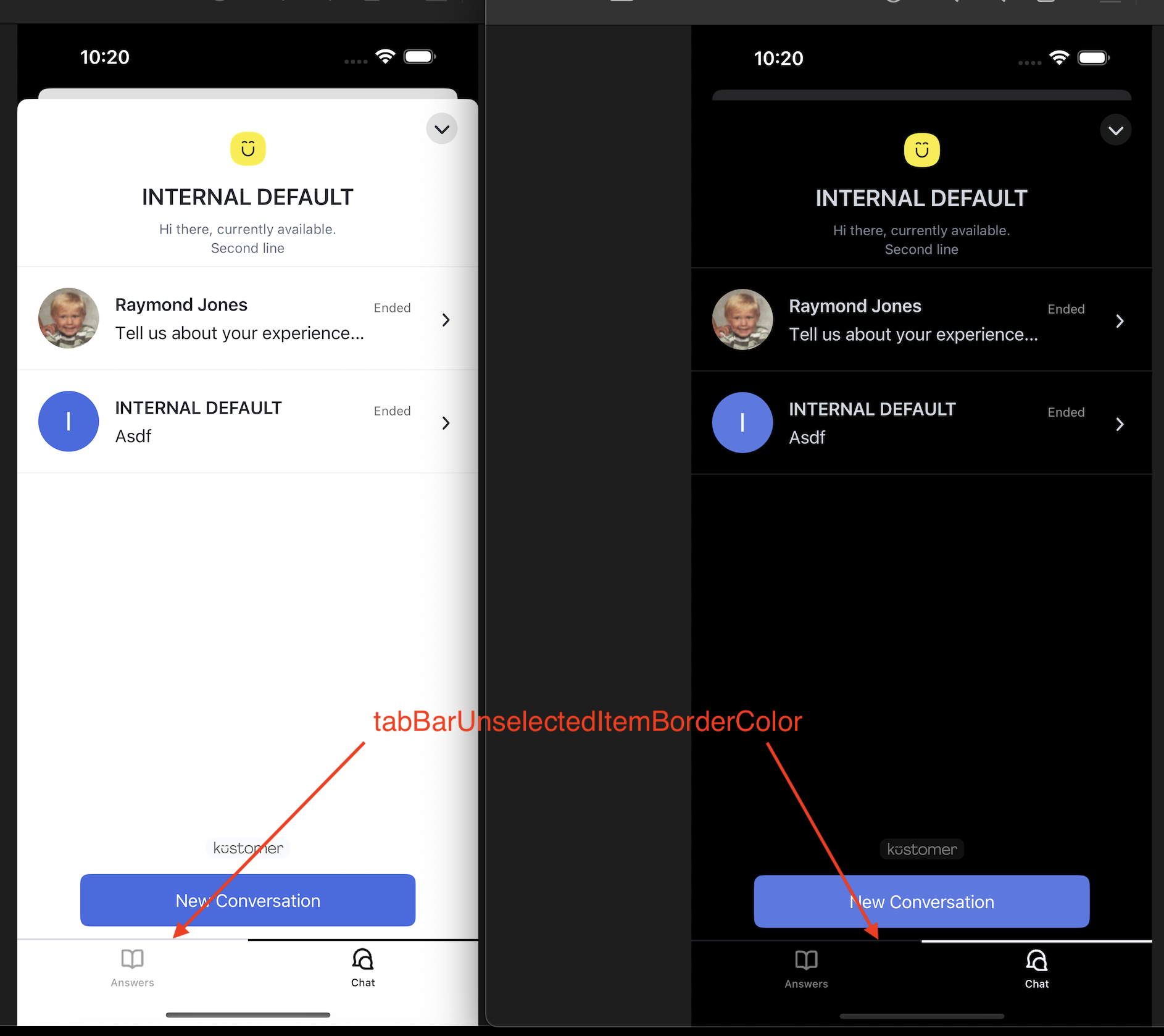
tabBatUnselectedItemBorderColor
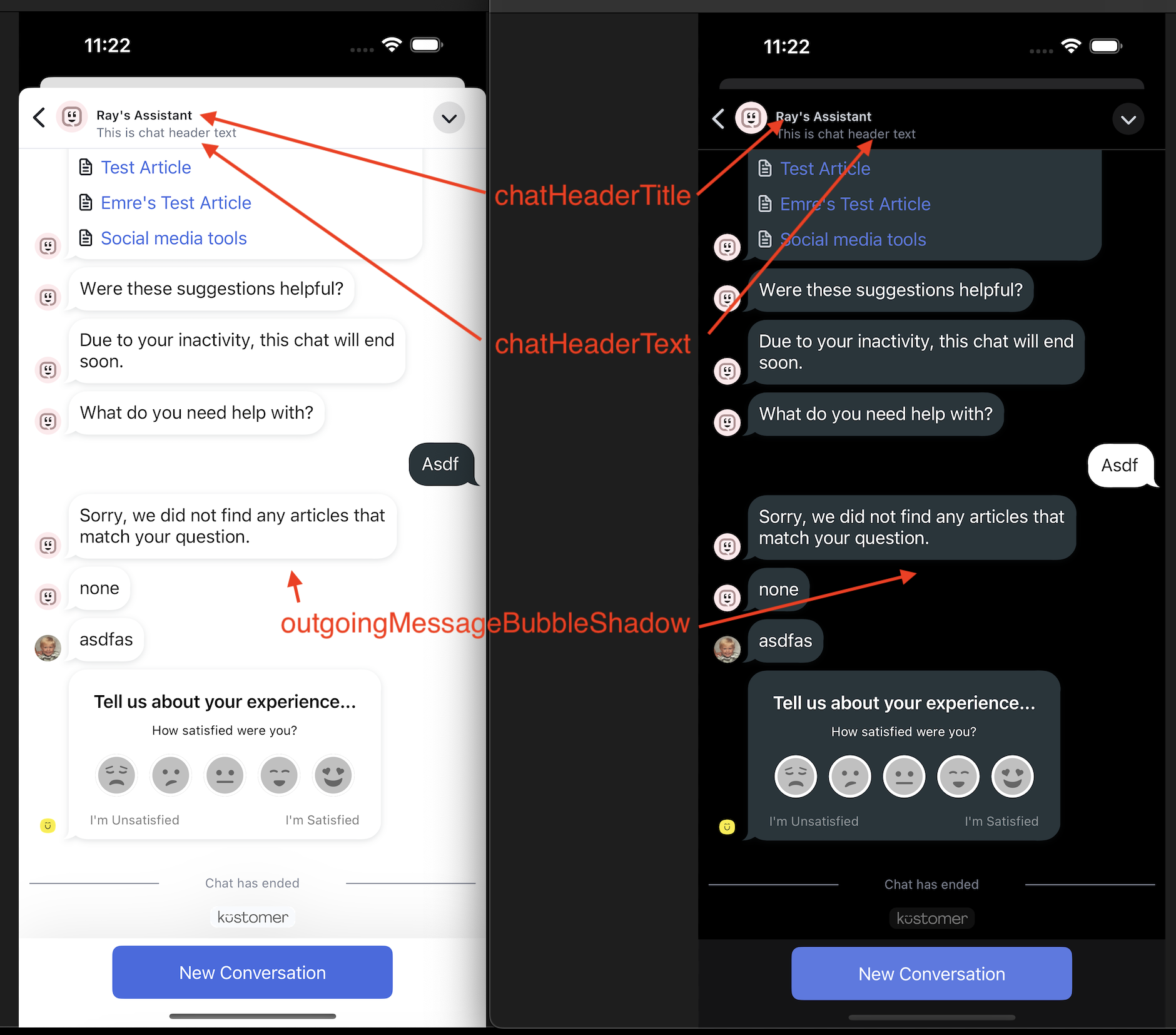
chatHeaderTitle, chatHeaderText, and outgoingMessageBubbleShadow
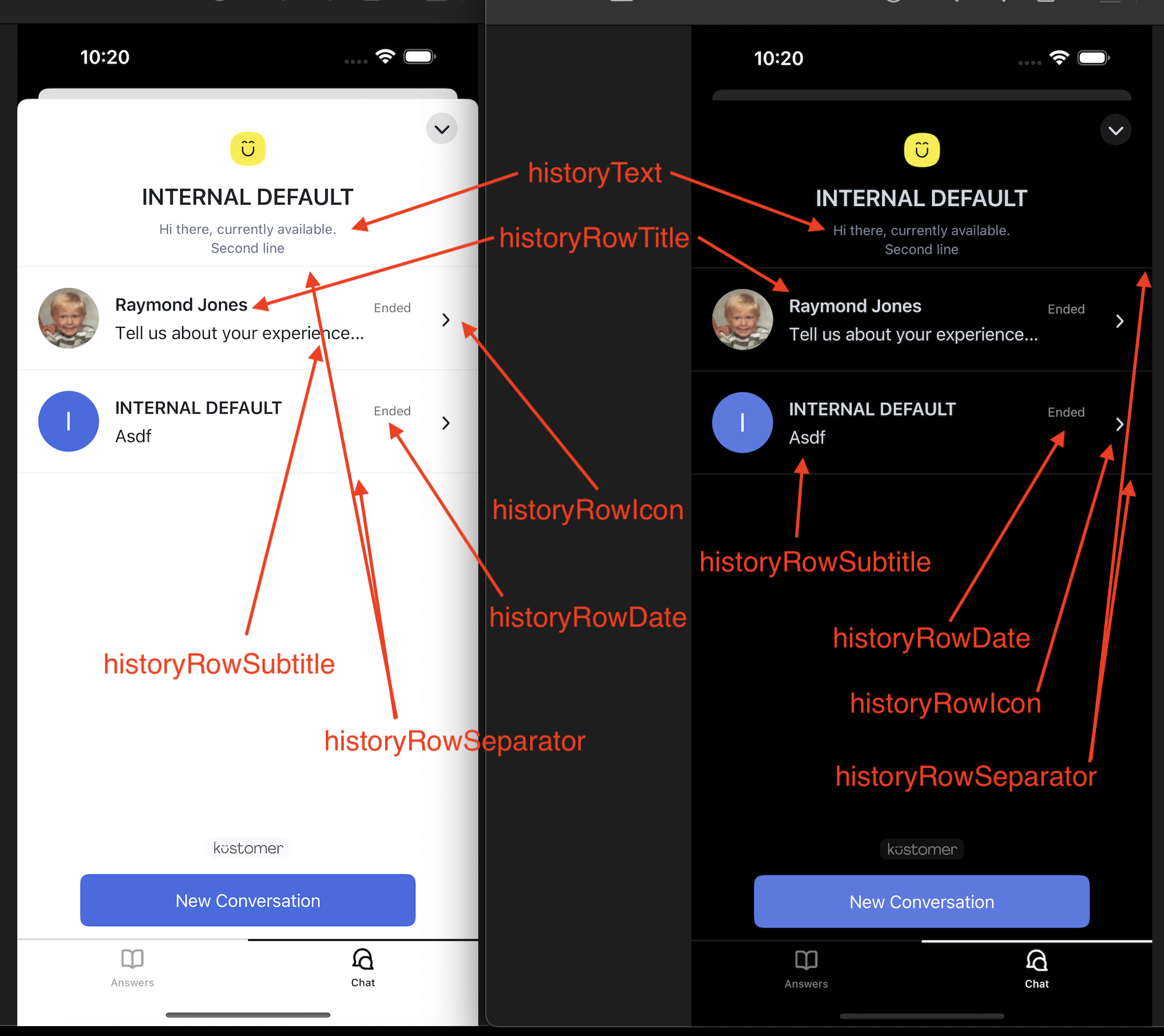
historyRowTitle, historyRowSubtitle, historyRowDate, historyRowIcon, historyRowSeparator, and historyText
v 5.0.6
Release date: 12-05-2024
Added
- Added Xcode 16 & iOS 18 support
Fixed
- Resolved an issue where two consecutive Multi-Level List (MLL) steps in a conversational assistant displayed identical options, even when configured differently.
- Fixed a bug where the
afterCreateConversationOrErrorcallback instartNewConversationdidn't execute if there was a failure indescribeConversation
v 5.0.5
Release date: 11-14-2024
Deprecated
phones,emails, andsocialsare now deprecated in thedescribeCustomermethod. The new methods to use are:sharedPhones,sharedEmails,sharedSocials.
Fixed
- Resolved an issue with the
startNewConversationmethod callback, which previously did not execute in error scenarios. The updated callback now fires on both success and error. - Fixed a bug that prevented reply types (for example, buttons) from hiding in older messages. This includes an edge case where the same message displayed twice would incorrectly show reply buttons in both the old and new versions.
v 5.0.4
Release date: 11-01-2024
Improved
- Removed crash scenarios in
ChatViewControllerfrom multiple overlapping requests to update the chat. - Removed embedded
SwiftyJSONdependency and marked as Implementation ONLY. - Removed embedded
NextGrowingTestViewdependency and marked as Implementation ONLY. - Removed embedded
TaggerKitdependency. - Removed Sentry dependency.
Fixed
- Fixed UI issues that made the chat history screen look different than on web and Android.
Added
- Added the
Kustomer.overrideAssistant(id)method to be in parity with Android.
v 5.0.3
Release date: 10-18-2024
Fixed
- Fixed issues that prevented CSAT messages from incrementing unread count
v 5.0.2
Release date: 10-03-2024
Improved
- Improved logic that fetches the unread count for messages after the app is brought into the foreground. Logic now does not mark any messages as read unless there is an actively open chat conversation.
- Removed embedded Nantes dependency and marked as Implementation ONLY
- Removed embedded NotificationView dependency and marked as Implementation ONLY
Fixed
- Fixed Crash that would sometimes happen when in an active Chat. This was caused by overlapping updates to the UITableViewDataSource that supports the Chat view.
v 5.0.1
Release date: 09-26-2024
Improved
- Optimized Assets/Images in SDK, to decrease impact SDK has on app size
- Removed embedded SnapKit dependency and marked as Implementation ONLY - made size reduction
- Removed embedded Reachability dependency and marked as Implementation ONLY - made size reduction
Removed
- Removed KUSReachabilityChangedNotification type due to removal of Reachability dependency
- Removed KUSReachabilityChanged notification name due to removal of Reachability dependency
v 5.0.0
Release date: 09-19-2024
Improved
- Removed Alamofire and AlamofireImage dependency from SDK - made SDK size reduction.
Fixed
- Unread count now filters out conversations with the wrong brand. This should fix unread counts that don’t appear to ever go away due to brand mismatch.
Deprecated
- Deprecated
case describeCurrentCustomerIsAnonymousin KError, because thedescribeCustomerfunction now allows anonymous users. This improves consistency in behavior across web and Android.
Breaking changes to Alamofire and AlamofireImage
- Completely removed
KUSURLConvertibleandKUSAFErrorfrom the SDK, as they were only there to support the use of Alamofire and AlamofireImage.- Completely removed
case alamofire(KustomerChat.KUSAFError)from KError, as it was only there to support the use of Alamofire and AlamofireImage.
v 4.2.0
Release date: 08-29-2024
Fixed
- Chat screen and message bubbles now have no transforms applied to them. This helps mitigate any scrolling bugginess on the chat screen where swipe to dismiss functionality is triggered when scrolling to bottom (most recent) of chat.
- SDK now explicitly calls all
registerForRemoteNotifications()requests on the main thread to avoid any crashes when calling from a background thread
Added
- Added support for Telugu (te) and Kannada (kn) translations.
4.1.6
Release date: 08-08-2024
Fixed
- Crash when scrolling to the bottom of Chat history when loading the next page of conversations.
Added
KustomerUI.Color.quickActionButtonBorder- To style quick reply and MLL buttons in Chats
Improved
- Quick reply and MLL buttons are now rendered using
quickActionButton,quickActionButtonText, andquickActionButtonBordercolors.
v4.1.5
Release date: 06-28-2024
Fixed
- Fixed a bug where swiping down to dismiss the MLL options screen left chat unable to reselect MLL options
v4.1.4
Release date: 06-07-2024
Improved
- Improved the ability to use
Kustomer.options.activeAssistantto override the organization’s default assistant when usingKustomer.startNewConversation()method. Previously, you could only change this once before SDK initialization. Now you can change it as many times as needed to switch between different conversational assistants.
v4.1.3
Release date: 05-24-2024
Fixed
- Fixed a bug that prevented
KustomerUI.Color.historyNewChatButtonTextfrom being used in the New Chat button on the Chat History screen. Previously, a white color was used, regardless of the customer's set override. - Fixed a bug that caused a crash in the iOS SDK when an incoming message from an agent contains a Unicode “non-width space” character.
v4.1.2
Release date: 05-16-2024
Fixed
- Fixed a bug that caused the app to crash when performing updates to the
ChatHistoryViewController.
v4.1.1
Release date: 05-02-2024
Changes to Swift repositoryStarting with the Kustomer Chat iOS SDK v4.1.1, you must use
https://github.com/kustomer/kustomer-ios-spmas the repository when using Swift Package Manager to install the Kustomer Chat SDK. For more information, see Swift Package Manager installation
Fixed
- The completion block in
Kustomer.openChatAssistant()function now fires when the chat assistant is opened and the first message is sent. Previously, never fired.
Added
- The framework now includes a privacy manifest to adhere to Apple’s new requirements when submitting an app that uses the KustomerChat SDK. The complete list of privacy reasons is found here.
Improved
- Polling (implemented in v 4.1.0) now only refreshes the chat UI if missing messages are detected. This prevents the screen from flickering unless a change is detected.
v4.1.0
Release date: 04-23-2024
Improved
- Improved the reliability of incoming message delivery when actively viewing a conversation.
v4.0.4
Release date: 04-17-2024
Fixed
- Avatars were rendered for outgoing attachments when viewing the conversation on the Chat History screen.
- Fixed a bug that caused
ChatViewControllerto crash when loading an existing conversation. - Fixed a bug that resulted in a crash when accessing Kustomer-defined colors before the application bundles were accessible
Improved
- Improved the reliability of incoming message delivery when actively viewing a conversation.
v4.0.3
Release date: 04-02-2024
Added
- Public extension for notifications that allows the ability to check if
notification.isFromKustomer(), and ifnotification.kustomerShouldDisplay(). This enables customers to wrap their own workflows around notifications.
v4.0.2
Release date: 03-22-2024
Fixed
- Crash that would periodically occur due to the SDK attempting to update the chat history list while an update is already in progress.
- In-app notifications would display for chat assistants with multiple initial messages whenever a new chat window was opened.
v4.0.1
Release date: 03-08-2024
Fixed
- Reply types (like buttons in a chat assistant message) would sometimes disappear when messages were received out of order.
- Avatars in customer satisfaction (CSAT) chat surveys were rendered without the image or initials.
- Fixed a bug where if a list is dismissed without making a selection, a large blank space would appear in the Chat View where multi-level list options should be.
- Bug that mistakenly marked delivered messages as undelivered, causing duplicate outbound messages.
- App would periodically crash when a team logo was not assigned to chat.
Added
- Logging around network reachability changes.
- Additional logging to incoming message brand filtering.
Improved
- Title, Text, and Avatars in the Chat View Header are now updated more often and with greater accuracy.
Deprecated
KustomerLogType.fatalhas been deprecated inKustomer.options.logLevels. Future versions of SDK Logging will log any error asKustomerLogType.error.
v4.0.0
Release date: 02-09-2024
Breaking changes to Pubnub installationThis change marks PubNub as an implementation detail.
As a result, PubNub is no longer included and exposed via the KustomerChat SDK when using
import KustomerChat.SDK users that are not directly using PubNub or its related data types no longer need the PubNub dependency.
SDK users with the need to directly use PubNub or its data types can now add any version of PubNub to their project and access it by using
import PubNub.
Fixed
- Crash in
LoadingViewControllerwhen chat is disabled on the Kustomer App website. - Support for using Xcode 15.1 or higher.
Improved
- No more duplicate symbol warnings in the Xcode console when building an app using SDK from SPM (Swift Package Manager).
- SDK is now using the latest version of PubNub internally (v 6.3.0).
- Improved chat message delivery on slow networks.
v3.1.1
Release date: 01-25-2024
Fixed
- Issues where push notifications were not being re-subscribed to when
Push Environment,Device Token, orCustomer Idare changed. iOS devices now re-register with PubNub more frequently. - Crash when calling the
Kustomer.showKbArticle()function with an empty or non-existent Id. - Avatar images displayed placeholders instead of actual images/initials on the Chat History screen. They now display correctly.
Improved
- The chat input bar is now hidden by default and will only appear if the last outbound message does not have buttons for the customer to select. This improves the chat UI for users revisiting a conversation with Answer Button Feedback buttons.
- The End Chat and Close Conversation buttons in the chat window header overlapped, making it difficult to tap the red x (End Chat button) without accidentally tapping the down arrow (Close Conversation button) instead.
- Avatars will use only the name's first letter when falling back to displaying initials. This makes iOS, Android, and Web SDKs treat the fallback similarly.
- The initials rendered in the avatar of an attachment cell were rendered using a system color, not a Kustomer-defined color. They now all render using the same set of Kustomer-defined colors.
v3.1.0
Release date: 12-01-2023
Fixed
- Attachment Cells not displaying images on iOS 17.
- Article Feedback buttons were cut at the bottom of the article when opening from a Deflection link.
- Application now registers for PubNub push notifications every time the push environment changes.
- Fixed a bug where some knowledge base categories did now show up due to missing attributes.
Added
- Support for displaying AI chat assistant messages.
- Support for AI assistant typing indicator.
Improved
- Moved all quick reply actions into the message thread
v3.0.0
Release date: 09-18-2023
Update
- Increased minimum deployment target to iOS 12.
Support for new XCode Release CandidateThis update is to support the new Xcode 15 Release Candidate. You can find information about the Xcode 15 Release Candidate and minimum requirements here.
v2.9.0
Release date: 09-18-2023
Fixed
Fixed a crash when uploading Live Photos on devices running iOS 17. In iOS 14+, the NSPhotoLibraryUsageDescription in Info.plist file can be omitted if necessary.
v2.8.1
Release date: 08-07-2023
Known issue with lldb debuggerThere is a known issue with the lldb debugger when using macOS Ventura 13.3.1. Please upgrade to versions greater than Ventura 13.3.1. As of this release the latest stable version is Ventura 13.5
Fixed
- Fixed an issue where UI updates, while initializing Push, were running off the main thread causing a crash.
- Fixed an issue where the SDK was preventing the usage of the article language when constructing the article URL to be viewed within the embed, which led to the inability to view articles in other languages.
Updated
- Built using Xcode 14.3.1 and generated by Apple Swift version 5.8.1
v2.8.0
Release date: 07-17-2023
Changes to KUSChatListener eventsWhen subscribing to KUSChatListener, events are no longer handled across all brands unless
KustomerOptions.showAllBrandsConversationHistoryistrue. Only session events related to the providedbrandIdwill be handled.
Fixed
- Fixed an issue where conversations across an organization’s brands were appearing in chat history and in-app notifications
Added
- Added
public var showAllBrandsConversationHistory: Bool?toKustomerOptionsto allow showing all conversation history across an organization’s brands.
Updated
ChatProvider.getConversationPage,ChatProvider.getOpenConversationCountandChatProvider.getConversationsnow use a value ofKustomerOptions.brandIdas a query parameter when fetching sessions. By default, this is set to the default brand. IfKustomerOptions.showAllBrandsConversationHistoryistruethen all sessions will be fetched across all brands.
v2.7.9
Release date: 04-18-2023
Fixed
- Fixed an issue where the Start new conversation button is not available after a conversation has ended.
- Fixed an issue where launching the chat app from a push notification caused the app to crash.
- Fixed an issue with displaying branded knowledge base articles.
Improved
- Improved support for the knowledge base language defaults when an article isn’t available in a user’s browser language.
Updated
- Adding custom describe parameters to new conversations now supports any type.
v2.7.8
Release date: 03-14-2023
Fixed
- Fixed a bug that caused line break issues when using emoji as bullet points in a list.
- Fixed a bug where some conversations starting with a Data Attribute interaction were not saving the response as the conversation name.
- Fixed a bug where UI and in-app notifications still appear despite setting both to false.
- Fixed a bug where VoiceOver was highlighting a group of buttons instead of reading the selected one.
- Fixed a bug where customers selecting a push notification when viewing the conversation’s history view were not being taken to the respective conversation thread.
Improved
- Improved the reliability of message delivery when users are on a slower internet connection.
- Improved initialMessages handling in non-assistant conversations.
Deprecated
- Deprecated the
statusfield. For more information, see KUSConversation.
v2.7.7
Release date: 02-01-2023
Fixed
- Fixed a bug that allowed users to repeatedly press the Send button, resulting in resending the original message several times.
- Fixed a bug where the End Chat button did not appear until a second message was drafted in chats without an assistant.
- Fixed a bug where the text input field wasn’t visible when filling out a CSAT.
- Fixed a bug where brand specific knowledge base searches were still showing default brand articles in the results. Now, only articles assigned to that brand will appear.
- Fixed a bug where the New Conversation button was not working as expected. Now, the button initializes a new conversation.
Improved
- Improved the Conversation listener logic.
- Improved the chat UI. Now, the unread counter badge doesn’t overlap text.
v2.7.6
Release date: 12-13-2022
Summary: Hotfix release
Upcoming bitcode deprecationIn keeping with Apple's deprecation of bitcode support we will be building the framework with Xcode 14 and removing bitcode enablement in the following release. This may cause compatibility issues with Xcode 13 and apps that continue to use bitcode.
Fixed
- Fixed a bug where the conversation was not being described with describe parameters when calling the
startNewConversationmethod with initial message parameters.
v2.7.5
Release date: 12-08-2022
Upcoming bitcode deprecationIn keeping with Apple's deprecation of bitcode support we will be building the framework with Xcode 14 and removing bitcode enablement in the following release. This may cause compatibility issues with Xcode 13 and apps that continue to use bitcode.
Fixed
- Fixed a bug where the conversation was not being described with describe parameters when calling the
startNewConversationmethod. - Fixed a bug where articles that were not in a default brand category failed to open when viewing them in the chat UI for an alternative brand. Now, all articles in all brands are displayed properly.
- Fixed a bug where agent messages sent while a customer was out of network didn’t load correctly once the customer was back online.
- Fixed a bug that resulted in two conversations being created when a customer sends two attachments in an initial message.
Improved
- Improved how the iOS SDK handles fetching messages after a disconnect with PubNub.
- Improved error messaging when the user tries to preview an unsupported file type.
- Deflection report now immediately shows all articles that are clicked in chat, even if the chat is abandoned after the article is clicked.
v2.7.4
Release date: 11-03-2022
Fixed
- Fixed a bug where launching the chat app from a push notification caused the app to be blank.
- Fixed a bug where the category name is shown twice in the Knowledge Base widget.
- Fixed a bug where outbound chats messages were not appearing in the chat app.
- Fixed a bug where inbound messages periodically displayed with a larger font size.
- Fixed a bug that resulted in an additional space being entered for the first item in an ordered list.
- Fixed a bug that was cutting off URLs shown in the chat UI.
- Fixed a bug that resulted in elements to overlap and empty spaces when opening the chat UI from a push notification.
Improved
- Improved the accuracy of Turkish translations.
- Greater flexibility with push notifications in your mobile application by moving the Kustomer SDK to a secondary handler. For more information, see Implement Kustomer SDK as secondary handler.
- Refactored the SDK to remove a third-party library.
Added
- Added support for a new Request feedback interaction, a new conversational assistant feature.
- Initial messages sent to a customer now appear on the agent timeline when creating a new session.
- Added the Coveralls integration to the SDK which tracks code coverage and helps you identify parts of your code not covered by your test suite.
v2.7.3
Release date: 09-22-2022
Fixed
- Fixed a bug where previously merged conversations were still appearing in the conversation list.
- Fixed a bug where users had to quit and relaunch the app to receive push notifications.
- Fixed a bug that caused
describeConversationandgetConversationPageto not run correctly. - Fixed a bug that caused users to receive a push notification with a repetitive message when a conversation is merged.
- Fixed a bug where conversations that are reopened still appeared closed in the chat UI.
Added
- Added filtering for insecure file types.
- Added support to display knowledge base articles marked as “Featured Articles” on the Answers tab in the chat UI.
Improved
- Improved the accuracy of Turkish translations.
- Changes to Chat settings now reflect immediately within the SDK.
v2.7.2
Release date: 08-24-2022
Fixed
- Fixed an issue where the pound (£) symbol was displaying incorrectly when viewing knowledge base articles in the chat widget.
- Fixed an issue where
Kustomer.logout()completion handler is not called after a successful log out. - Fixed a bug where the No knowledge base article results UI was not translated into other languages.
- Fixed a bug where the
openConversationcompletion handler was not being called when the conversation was successfully opened.
Added
- Added a button that allows you to quickly scroll down to the bottom of the message thread.
- Added support for setting a lock out period with satisfaction (CSAT) surveys. To edit the time period, go to Settings > Satisfaction > General tab on the Kustomer website.
Improved
- Improved the performance of unread message counts.
- Improved how articles render in the SDK.
- Improved the consistency of language locale overrides set in the SDK.
- Improved the user experience of the conversation history view UI.
- Optimized code to improve the overall performance.
v2.7.1
Release date: 07-28-2022
Summary: Hotfix release
Fixed
- Fixed a bug that periodically caused the assistant to send duplicate messages after backgrounding and reopening the app.
- Fixed a bug where initial messages set in
startNewConversationweren’t being sent. - Fixed a bug where the conversational assistant specified in
openChatAssistantwasn’t respected. - Fixed a bug where logging in with an expired JWT token caused excessive retries.
- Fixed a bug where responses sent to assistants triggered by a workflow failed on the first attempt.
Updated
- Updated the
BUILD_LIBRARY_FOR_DISTRIBUTIONflag to Yes to support clients that want to build an updated version of their wrapper.
v2.7.0
Release date: 07-14-2022
Fixed
- Fixed a bug where session data was still visible after logging out of chat.
- Fixed a bug where
KustomerUI.Color.messagesBackgroundwas not correctly applying the set color to a message background. - Fixed a rare bug that caused chat to crash after the following error:
NSInvalidArgumentException: _countWithNoChangesForRequest:error: A fetch request must have an entity
Added
- Added new parameters that can be used on conversation creation. You can now create a conversation with an assistant action, mll, image, or file. Additional parameters include:
customDescribecan be used to pass conversation attributestitlecan be used to set the conversation name
For more information, seecreateConversation.
- Added a footer to the Knowledge Base search results page that indicates if more than 100 articles were found.
- Added support for English (en) translations.
- Added two new functions to the Core SDK to improve consistency in behavior across Android and iOS SDKs when creating a conversation with a new assistant:
getInitialMessagesandcreateConversation. This was formerly calledcreateAssistant. For more information, see Implement makeAnAssistant(). - Added a new
onUnreadCountChange(conversationId:count:)listener. - Added the following new methods:
- Added a new parameter that submits a user’s response to a satisfaction form. For more information, see
submitSatisfactionForm.
Improved
- Improved the local storage used by the SDK to get more reliable data and make it more dynamic.
- Improved color customization for knowledge base articles in the SDK. Now, the article will display the colors that are set in your knowledge base theme by default. The following have been deprecated:
kbHeaderTintkbArticleBackgroundLightkbArticleBackgroundDarkkbSurveySubmitButtonTextkbSurveySubmitButton
- Improved how customer deletion is handled. Now, end-users are logged out of chat when the delete event is received.
- Improved how conversation deletion is handled. Now, deleting an open conversation ends the chat and the customer is prompted to start a new conversation.
Updated
- Updated the Core SDK to improve performance and consistency in behavior across Android and iOS SDKs.
Removed
The following methods have been completely removed:
public func getConversations()public func getConversation(conversationId:String)public func chatMessages(conversationId:String)public func getUnreadCount()public func openConversationCount()public func sendChatMessage(action:KUSMessageAction, completion _outerCompletion: @escaping (KUSChatMessage, KUSConversation)public func sendChatMessage(text:String, assistant:KUSAssistant, completion _outerCompletion: @escaping (KUSChatMessage, KUSConversation)public func sendChatMessage(mllNode:KUSMLLNode, completion _outerCompletion: @escaping (KUSChatMessage, KUSConversation)
v2.6.2
Release date: 05-18-2022
DeprecatedThe following methods have been deprecated in this release and will be completely removed in iOS v2.7.0:
public func getConversations()public func getConversation(conversationId:String)public func chatMessages(conversationId:String)public func getUnreadCount()public func openConversationCount()public func sendChatMessage(action:KUSMessageAction, completion _outerCompletion: @escaping (KUSChatMessage, KUSConversation)public func sendChatMessage(text:String, assistant:KUSAssistant, completion _outerCompletion: @escaping (KUSChatMessage, KUSConversation)public func sendChatMessage(mllNode:KUSMLLNode, completion _outerCompletion: @escaping (KUSChatMessage, KUSConversation)Please upgrade your implementation to iOS v2.6.2 to get the most up-to-date methods.
Fixed
- Fixed a bug that caused the app to periodically crash when assistant buttons had very long text.
- Fixed a bug that caused links in the conversational assistant to not work properly.
- Fixed a bug that caused button labels to appear cut off if the device is set to use a larger text size.
- Fixed a bug where the
KBProvider.shared.getCategorymethod wasn’t successfully returning the Knowledge Base object properties. For more information, see Work with the Knowledge Base. - Fixed a rare edge case scenario of arithmetic overflow with Pubnub & threading issue with UI
- Fixed a bug where conversations missed by an agent are closed even if a follow-up channel was selected.
Improved
- Improved the performance and efficiency of the whole chat view UI. This includes improvements to read receipts, merged conversations, and sending attachments.
- Improved button text alignment.
- Improved the accuracy of Turkish translations.
Added
Added the following new methods:
public func getConversations(completion: @escaping (Result<[KUSConversation], KError>)public func getConversation(conversationId: String, completion: @escaping (Result<KUSConversation, KError>)public func getUnreadCount(completion: @escaping (Result<Int, KError>)public func getOpenConversationCount(completion: @escaping (Result<Int, KError>)public func sendChatMessage(action: KUSMessageAction, conversationId: String, completion _outerCompletion: @escaping (Result<(message: KUSChatMessage, conversation: KUSConversation), KError>)public func sendChatMessage(text: String, assistant: KUSAssistant, conversationId: String, completion _outerCompletion: @escaping (Result<(message: KUSChatMessage, conversation: KUSConversation), KError>)public func sendChatMessage(mllNode: KUSMLLNode, conversationId: String, completion _outerCompletion: @escaping (Result<(message: KUSChatMessage, conversation: KUSConversation), KError>)
v2.6.1
Release date: 04-07-2022
Fixed
- Fixed a bug where
KustomerColor.incomingMessageTextwas not correctly applying the set color to stylized text in the conversational assistant. - Fixed a bug that caused links in the conversational assistant to not work properly.
- Fixed a bug that caused messages that started with a numeric value to appear as a numbered list.
- Fixed a bug where the Enter key does not create a new line when a user is providing written feedback for a KB article.
- Fixed a bug where images sent in an outgoing message via a URL didn’t display properly.
Added
- Added a new ‘startNewConversation` method which introduces the functionality to start a new conversation with an end-user message by specifying the initial message direction.
Improved
- Improved the accuracy of Turkish translations.
- Improved the accuracy of the KustomerUI Colors enumerations reference.
- Improved how CSAT followup questions display when the device is set to a right to left language, such as Arabic or Hebrew.
v2.6.0
Release date: 03-03-2022
Changes to PubNub installationPubNub is now automatically downloaded as a dependency if using Swift Package Manager or Cocoapods.
Users manually installing the SDK must download PubNub separately instead of adding the KustomerPubSub framework. See Install the Kustomer Chat iOS SDK for more information.
This change exposes the
pushEnvironmentvariable inKustomerOptionsthat was previously defined in KustomerPubSub. It is now an enum inKustomerChat.
Fixed
- Fixed a bug causing the app to crash when presenting conversational assistant buttons on devices running iOS 15+.
Improved
- Improved the UI when uploading an image to the chat. Now, an entire image can be uploaded without the need to crop it.
- Improved our authentication to fix an issue where a chat conversation would occasionally not have an assistant.
- Improved how we send CSAT responses to our backend to support CSAT reporting in various languages.
v2.5.4
Release date: 02-09-2022
Fixed
- Fixed a bug where underscores were being removed from URLs, resulting in links that wouldn’t open in the chat UI.
- Fixed a bug where the numeric part of an address automatically changed to 1. After a customer sends the message.
- Fixed a rare bug where the chat widget was occasionally displayed by default on first launch even though only the Knowledge Base widget was turned on.
- Fixed a bug where customer responses to a multiple choice CSAT question were being stored in the incorrect attribute.
- Fixed a bug that prevented the keyboard from minimizing when answering a free text question.
- Fixed a bug where the confirmation message when submitting a CSAT always displays in English, regardless of the device language or SDK settings. Now, the confirmation message will display in the correct language.
Added
- Added support for article feedback. With this feature, customers can rate your articles as positive or negative and, if turned on, allow them to provide written feedback.
- Added support for disabling attachments. To edit, go to Apps > Chat > Settings on the Kustomer website.
- Added a new
showKbCategorymethod that can be used to open a specific knowledge base category.
Improved
- Improved the user experience and overall consistency for the chat UI.
- Improved the voice-over controls experience for conversational assistant prompts.
- Improved the performance of the chat widget.
Updated
- Updated the conversation list to no longer display draft conversations.